What’s New

Keep up with the latest releases, improvements, and fixes.

Follow @NotionHQ
2.49

Notion 2.49: Page verification, Notion Forms with conditional logic, and more!

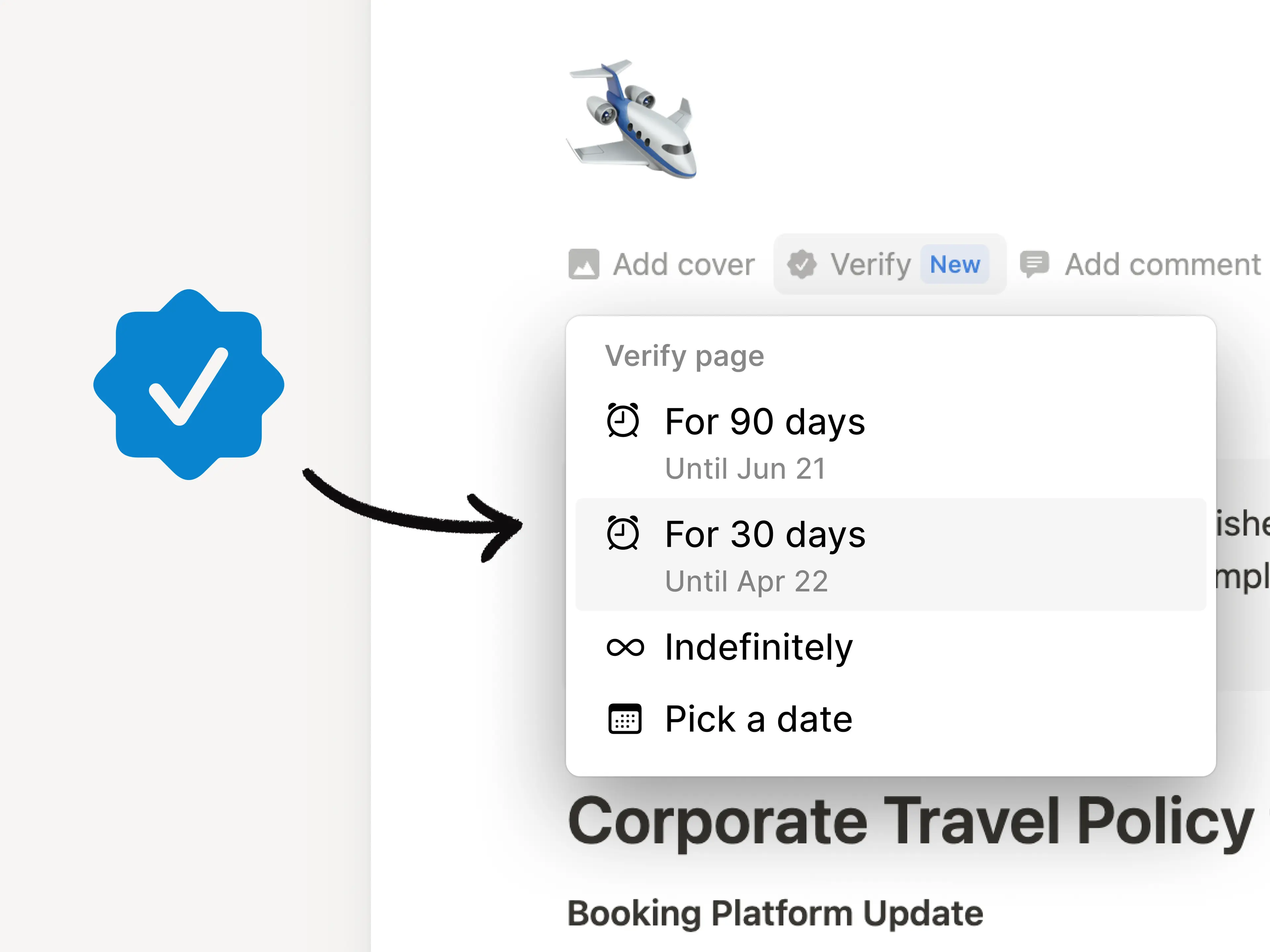
Build trust with verified pages

Verified pages get priority in search results and show up in citations and mentions. We’ll remind you when it’s time to re-verify, so nothing ever gets stale.
Verified pages

Webhooks are here!

Send real-time updates to your API integrations whenever content changes in Notion. For example, use webhooks to publish Notion pages to your blog or automatically update your customer-experience team in Zendesk when a task is edited in Notion. Learn more →
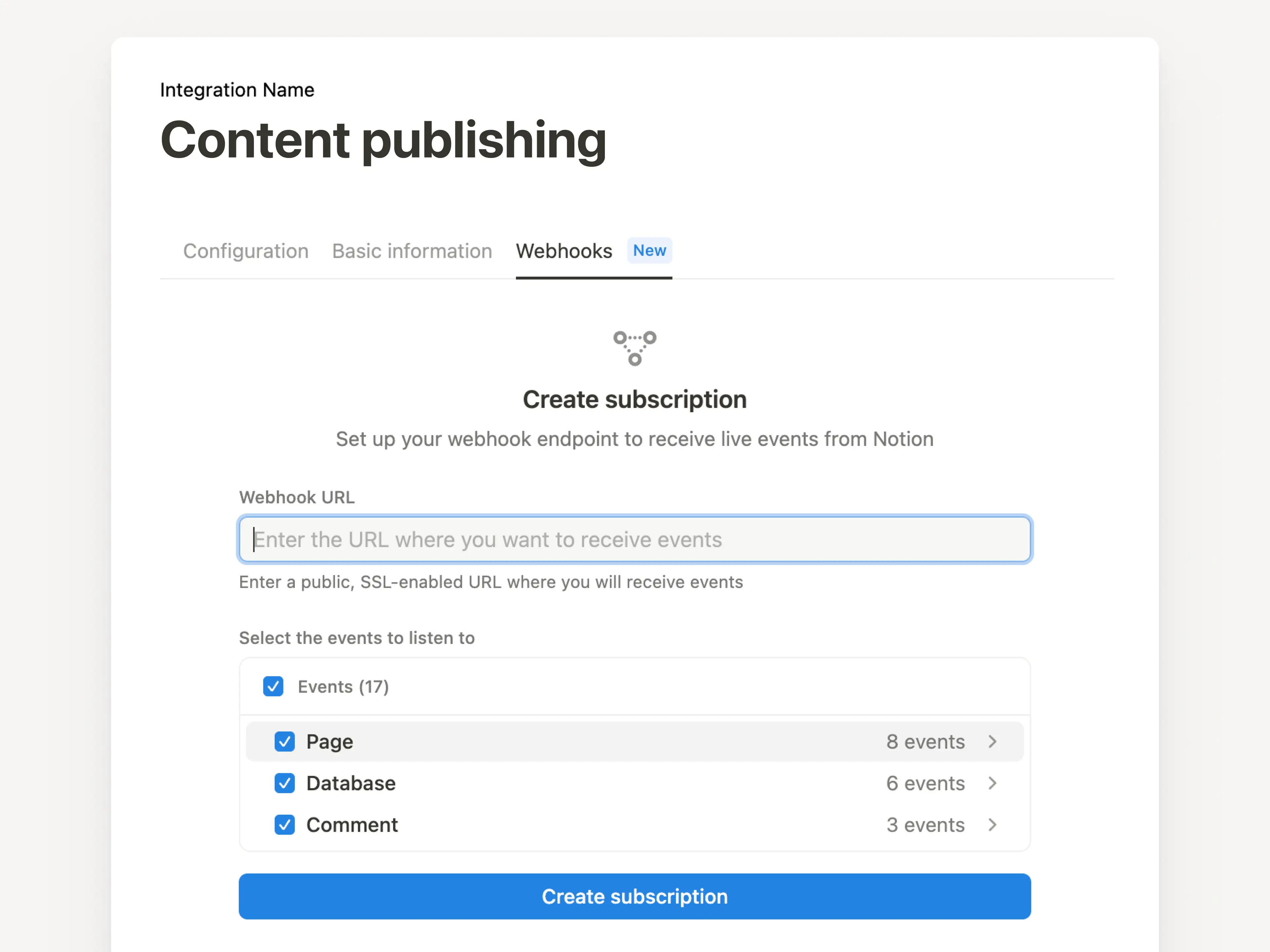
Webhooks

Search Jira with Notion AI beta

Connect your Jira Cloud instance to quickly find answers about things like team priorities, status updates, and tasks. If the answer lives somewhere else (like Slack, Notion, or GitHub), Notion AI will find it!
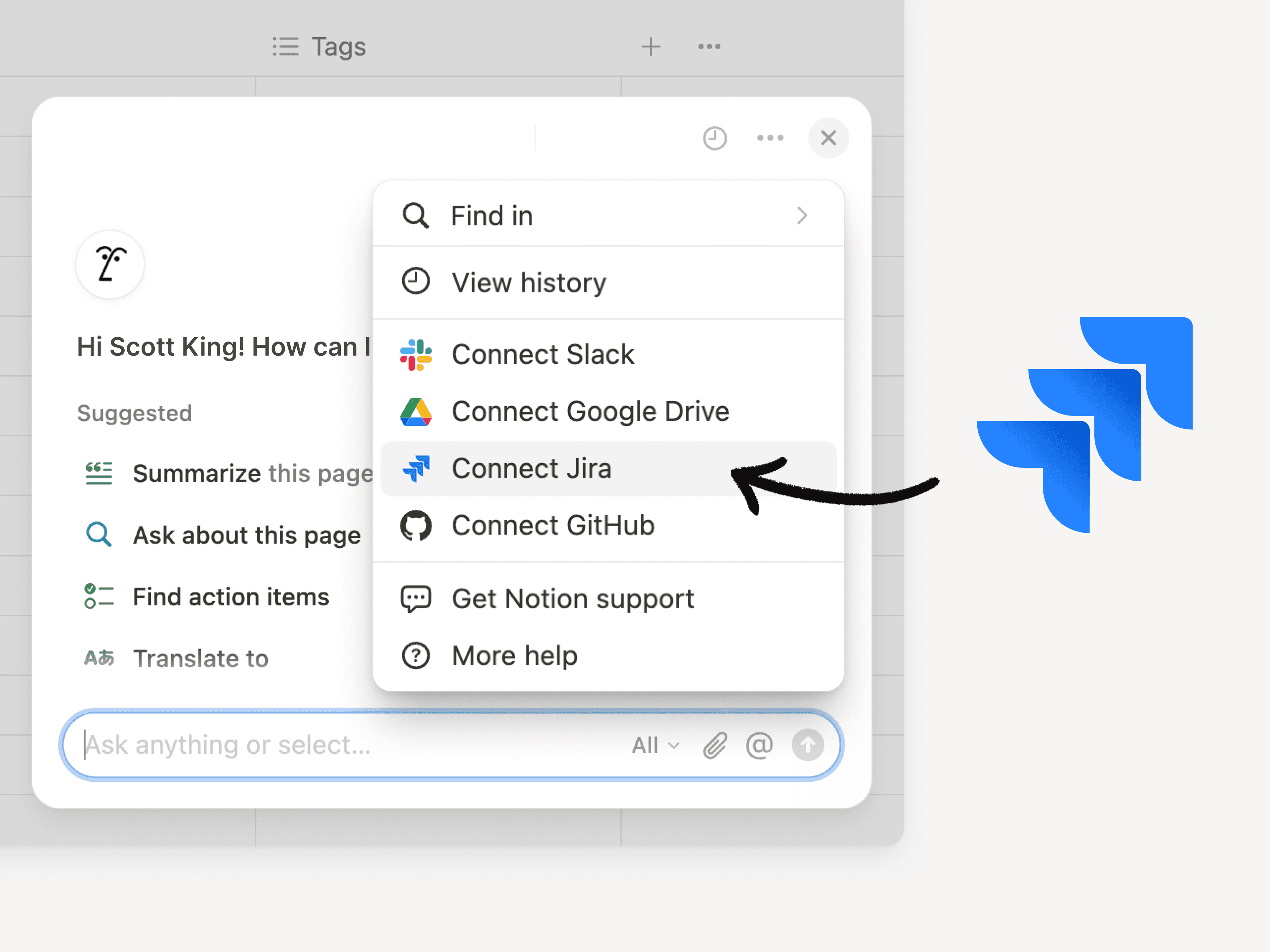
Jira connectors

View chart data in one click

Want to dig into the data behind a chart? Now you can click on any part of a chart to quickly learn about the details behind it.

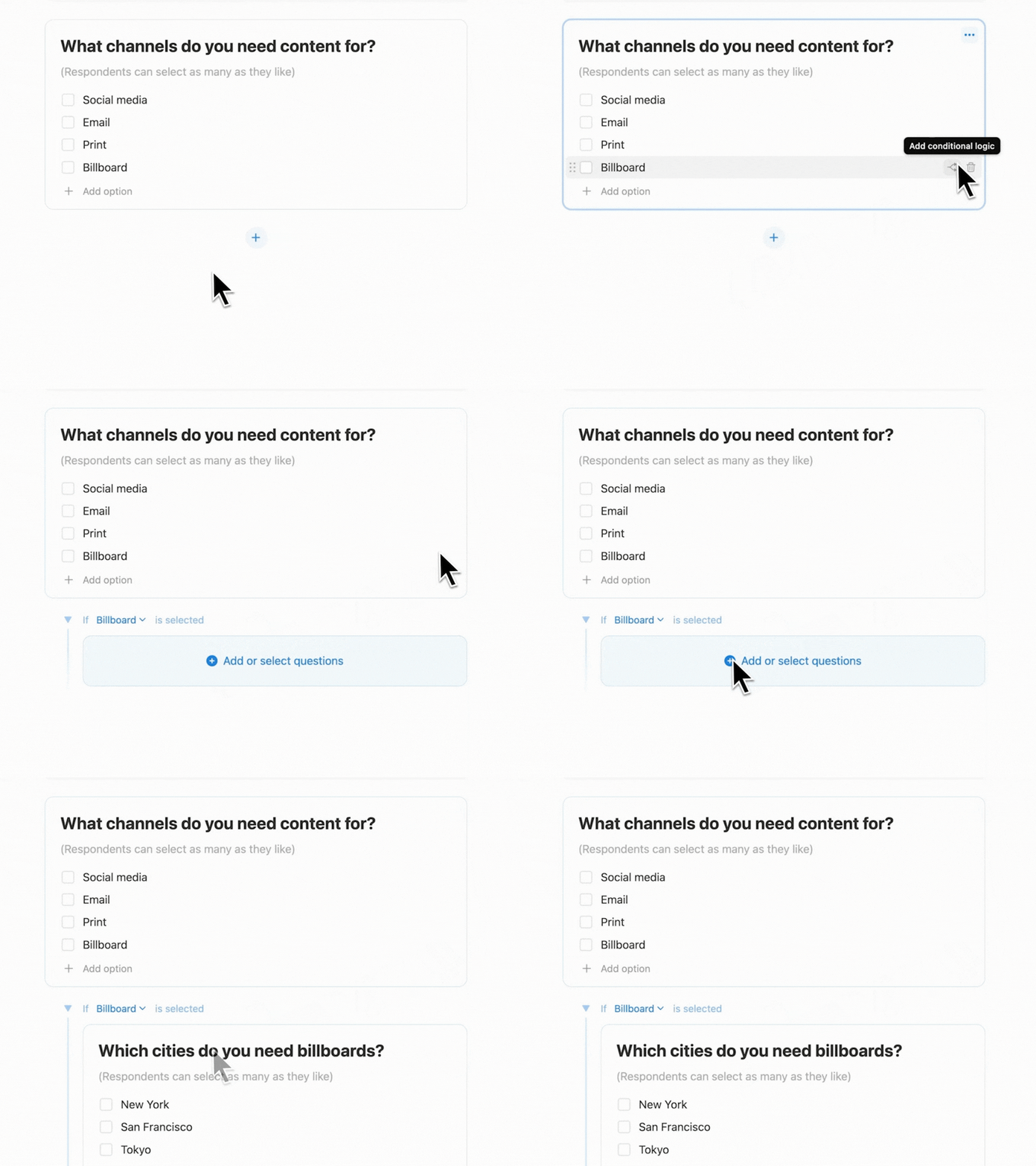
Make better Forms using conditional logic

Notion Forms now allow you to ask follow-up questions based on earlier answers using conditional logic! This feature is available on Business and Enterprise plans, but anyone can try building and sharing a Notion Form

Conditional logic

View multiple databases on one page

Quickly toggle between databases (your project trackers, team docs, roadmaps—whatever you keep in Notion) without leaving your page. Just click Customize layout at the top of the page, select Tabbed under Page settings, and add your databases to the tabs below the heading.

Level up your admin controls

This one’s for workspace admins! Manage the settings of your members, guests, and security all in one place—even with multiple workspaces. If you’re on the Enterprise plan, simply head to Settings to set up your organization.
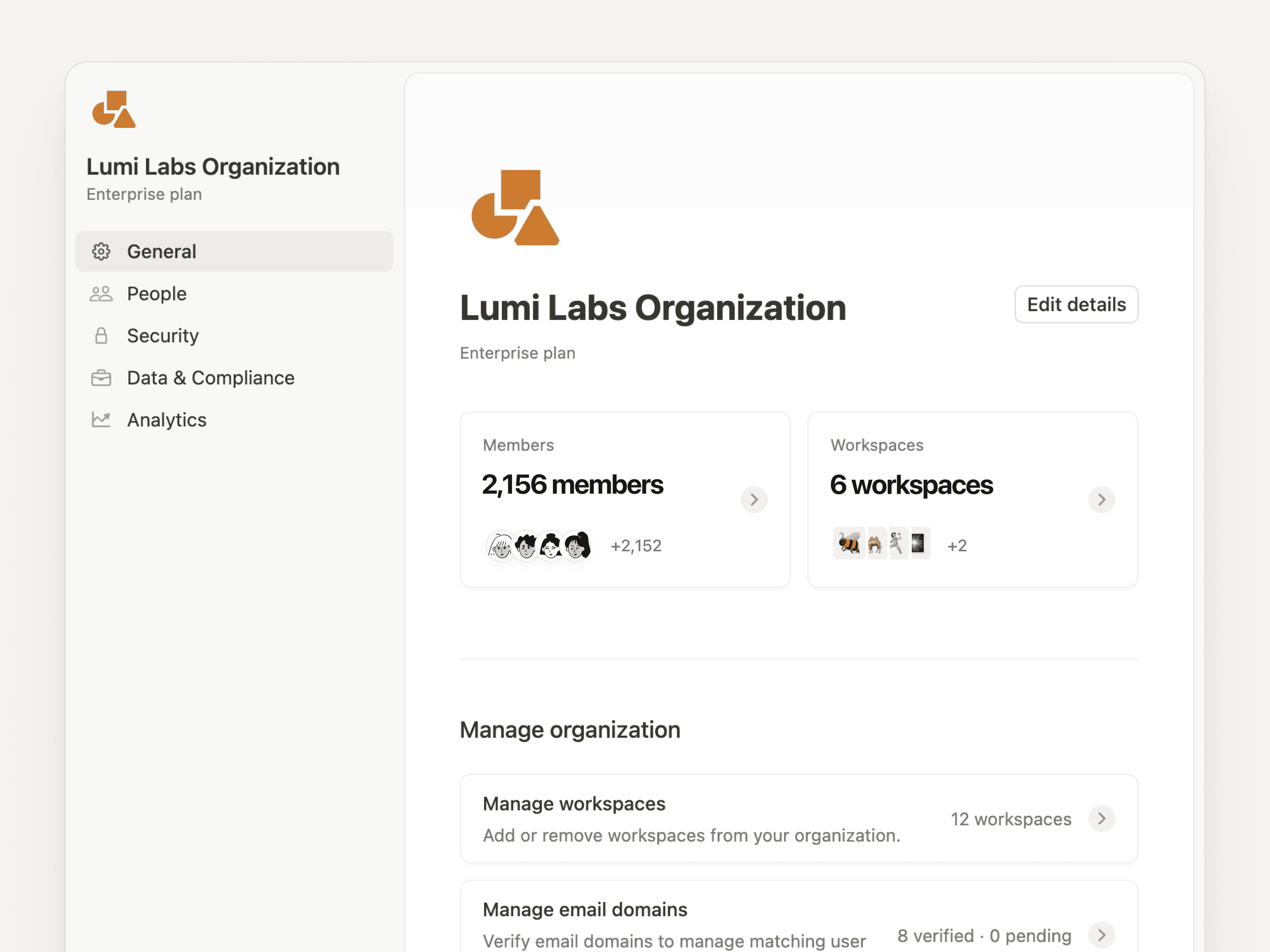
Org level controls

Sign in quickly and securely 💨

Quickly log in to Notion using passkeys like Touch ID or Microsoft ID. Plus, now you can use the same login credentials for Notion and Notion Calendar!
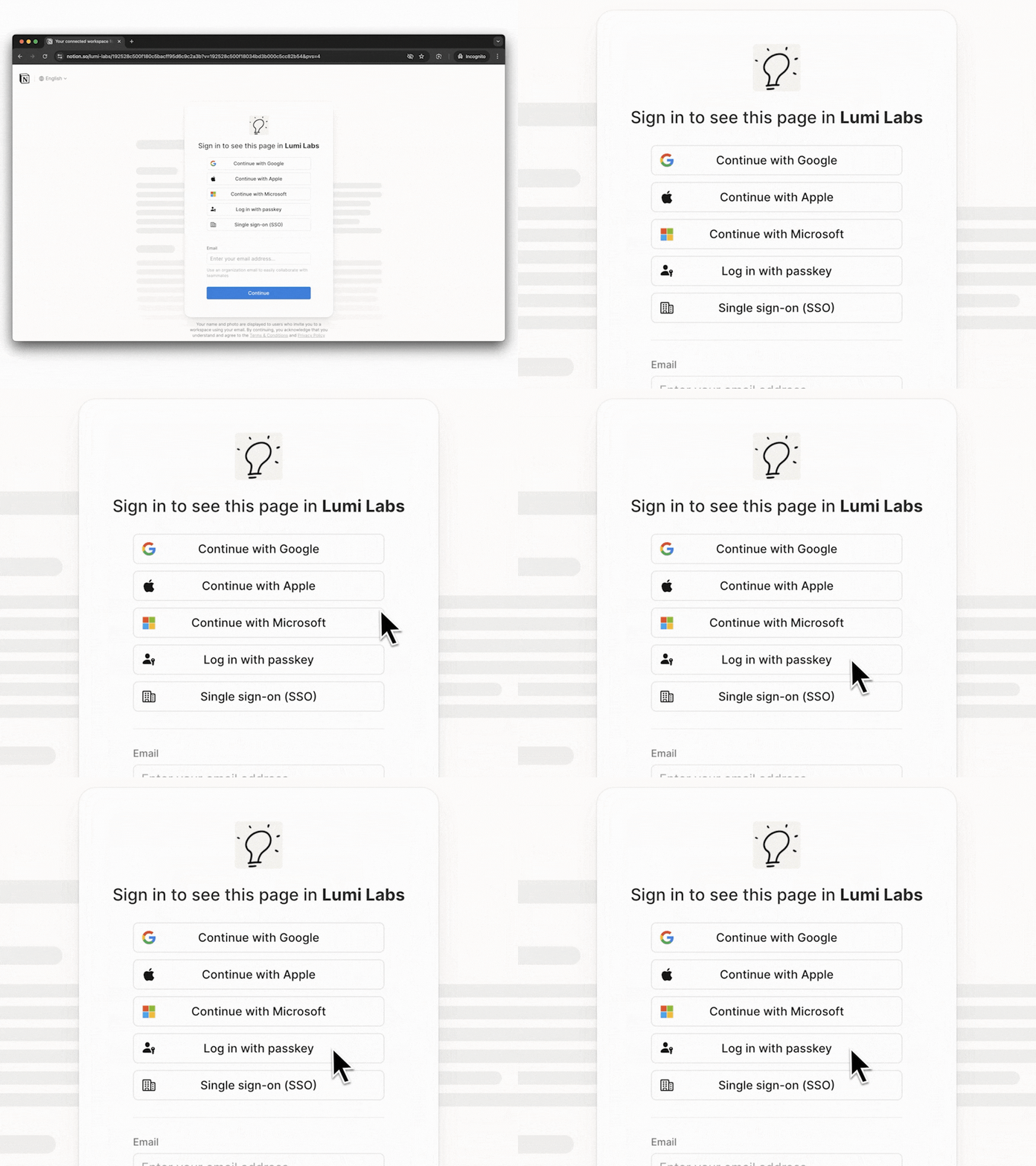
Passkeys

iCloud 🤝 Notion Calendar

This one’s for Apple users: Notion Calendar now works with iCloud Calendar! Download the latest Notion Calendar app here.

A few more improvements we made for you

  • For all our developers out there, our public API endpoints just got 2× faster.

  • Admins can now control which Notion workspaces employees can use on the company network. This helps keep work and personal accounts separate. Learn more →
2.48

Notion 2.48: Set up Notion in one click, Calendar updates, and more

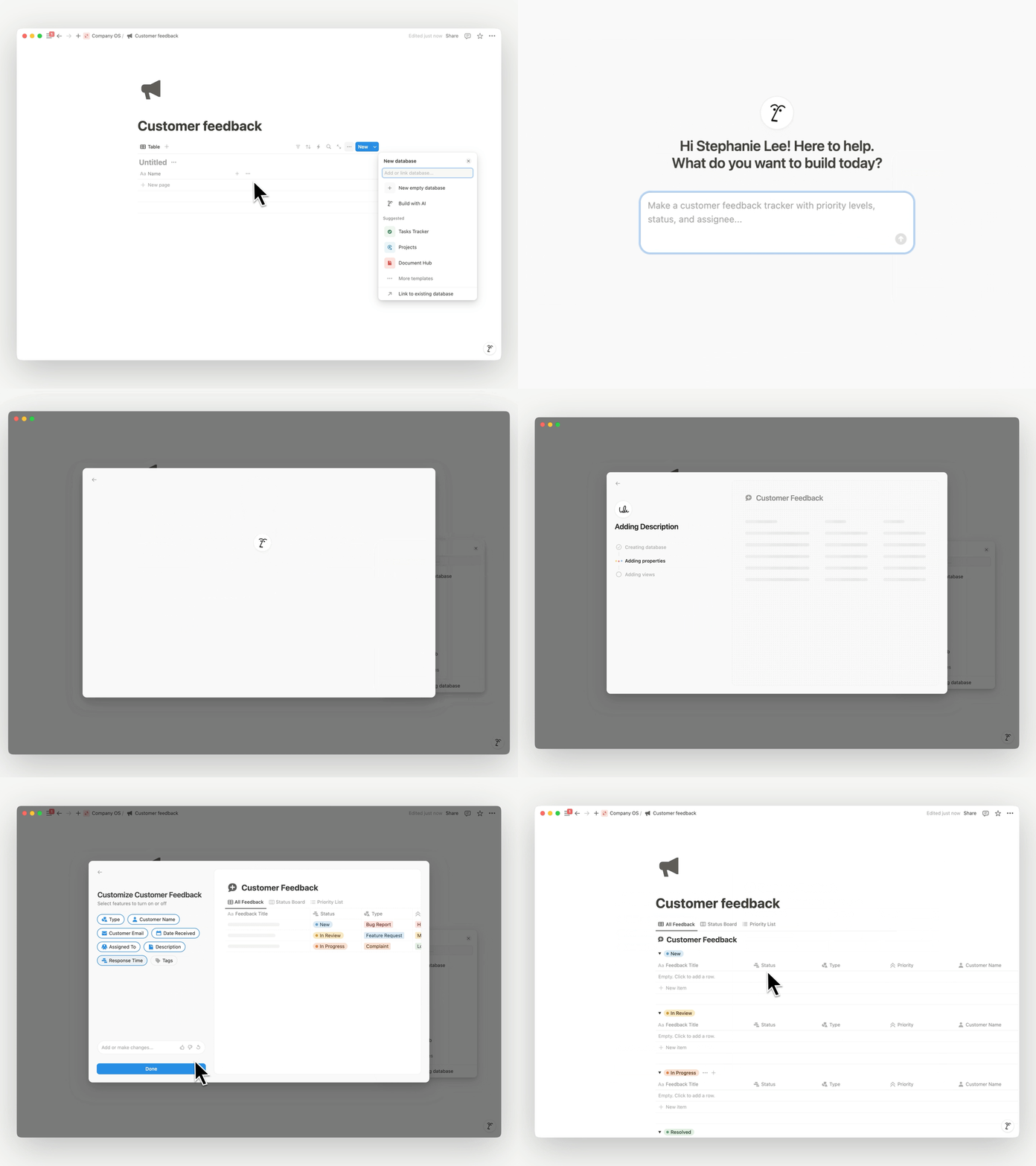
Let AI help you build

Create custom setups instantly with AI! Describe what you need (you can be as detailed as you’d like), and AI will build your use case. This is a huge timesaver. Just type /database and select Build with AI.

AIDatabases Pro (1)

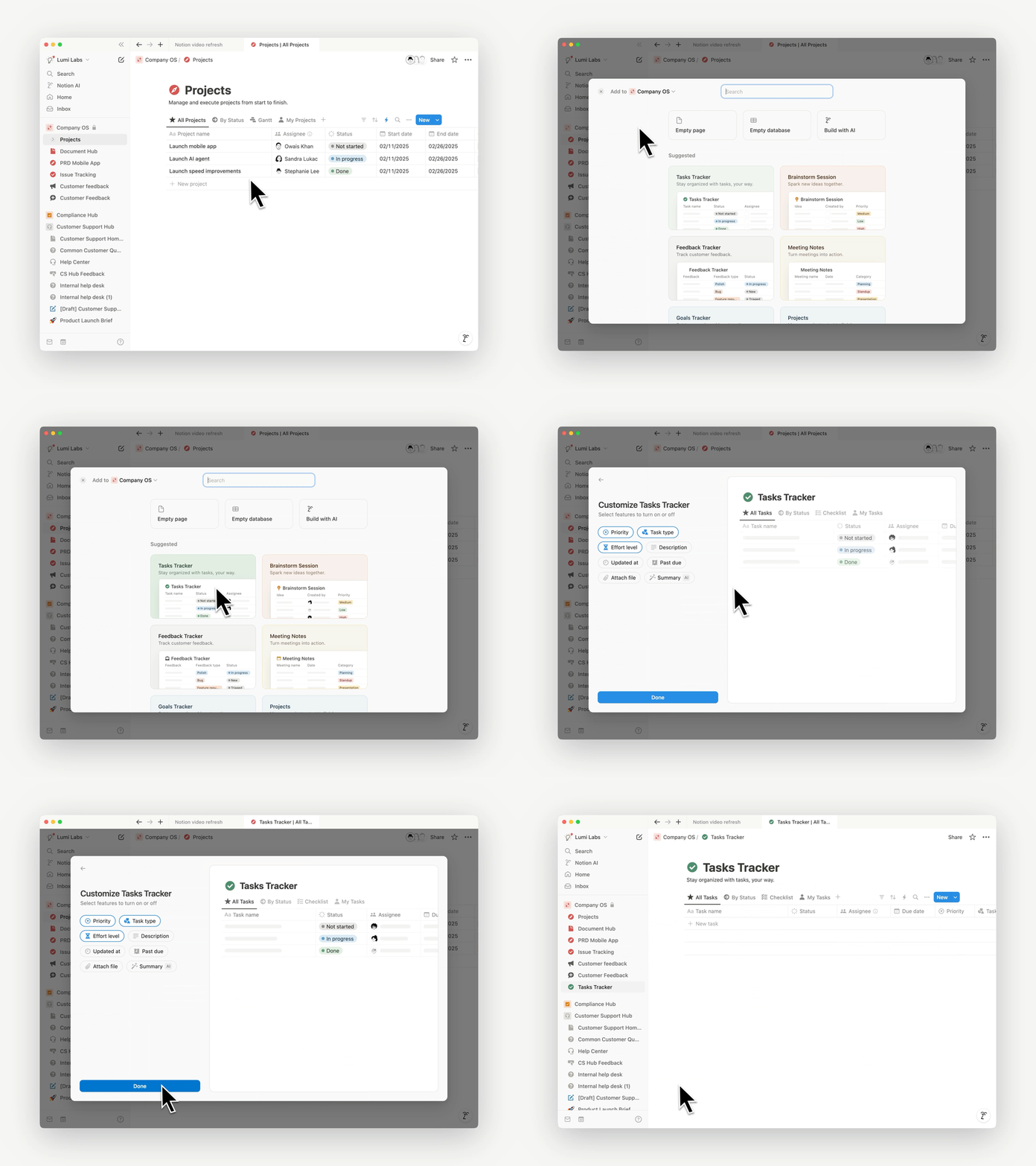
Workflows in one click

We made a bunch of pre-built setups for you, like Task Trackers, Meeting Notes, and Brainstorm Sessions. They're easy to customize, too. Just create a new page, click database, and select More templates.

OneClick Rev (1)

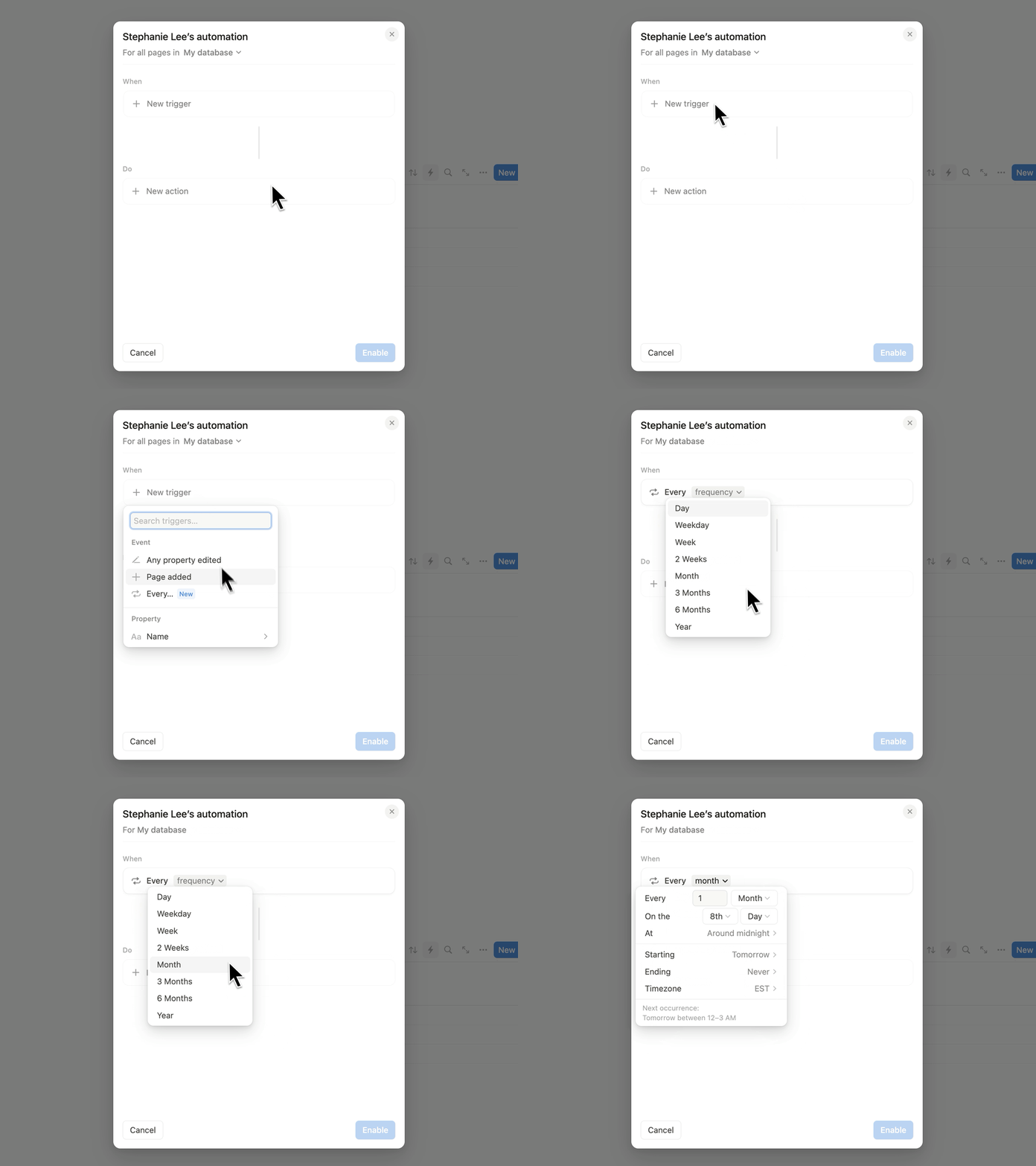
Do more with recurring tasks

Automatically update pages on a schedule with recurring database automations. Set and forget tasks like weekly reminders, or auto-generate weekly status docs for projects marked as In Progress.

recurring

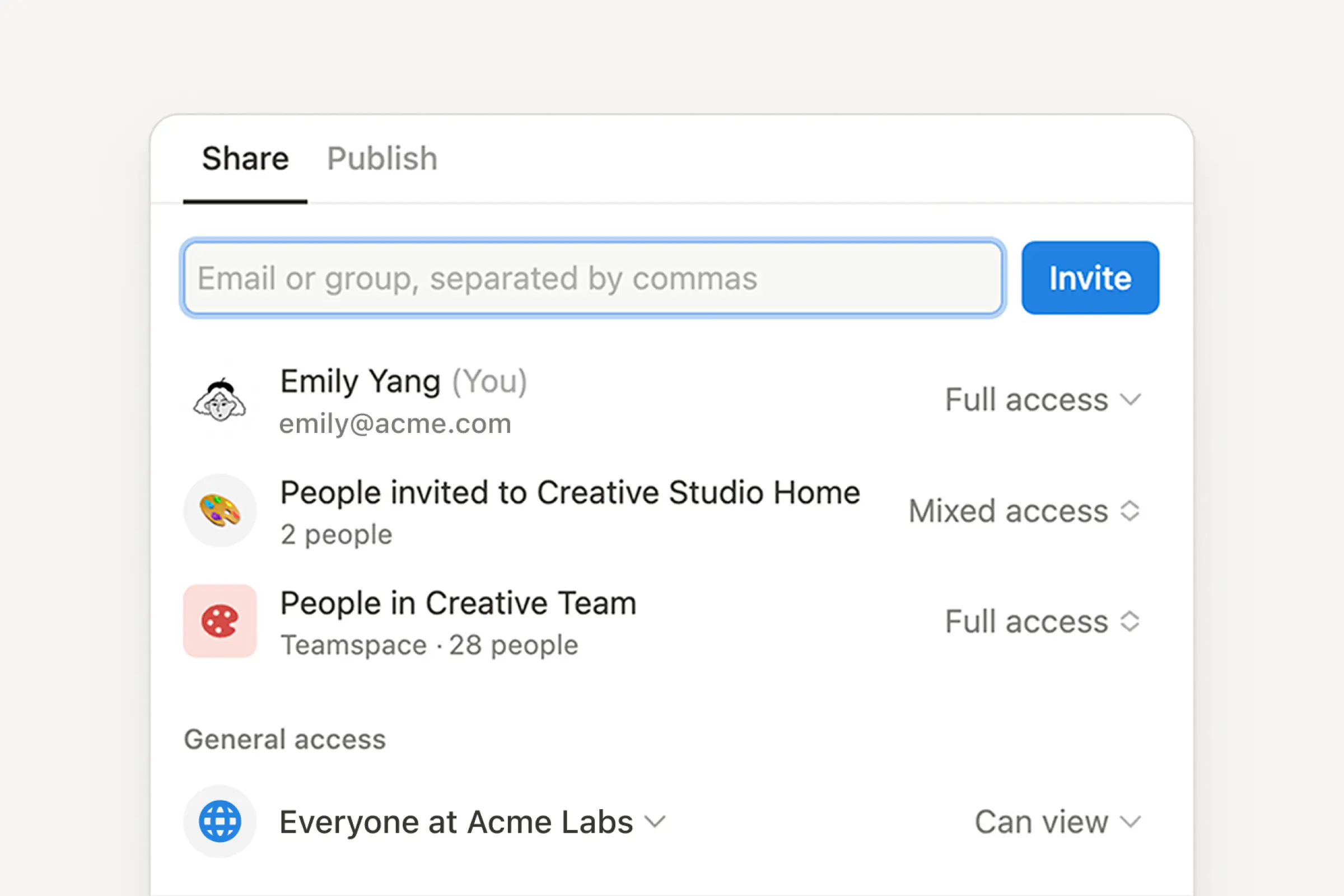
See who has access to your doc 👀

We made it really obvious who has access to your doc (and what type of access they have) in the Share menu so you never get a “need access” note again.

share access

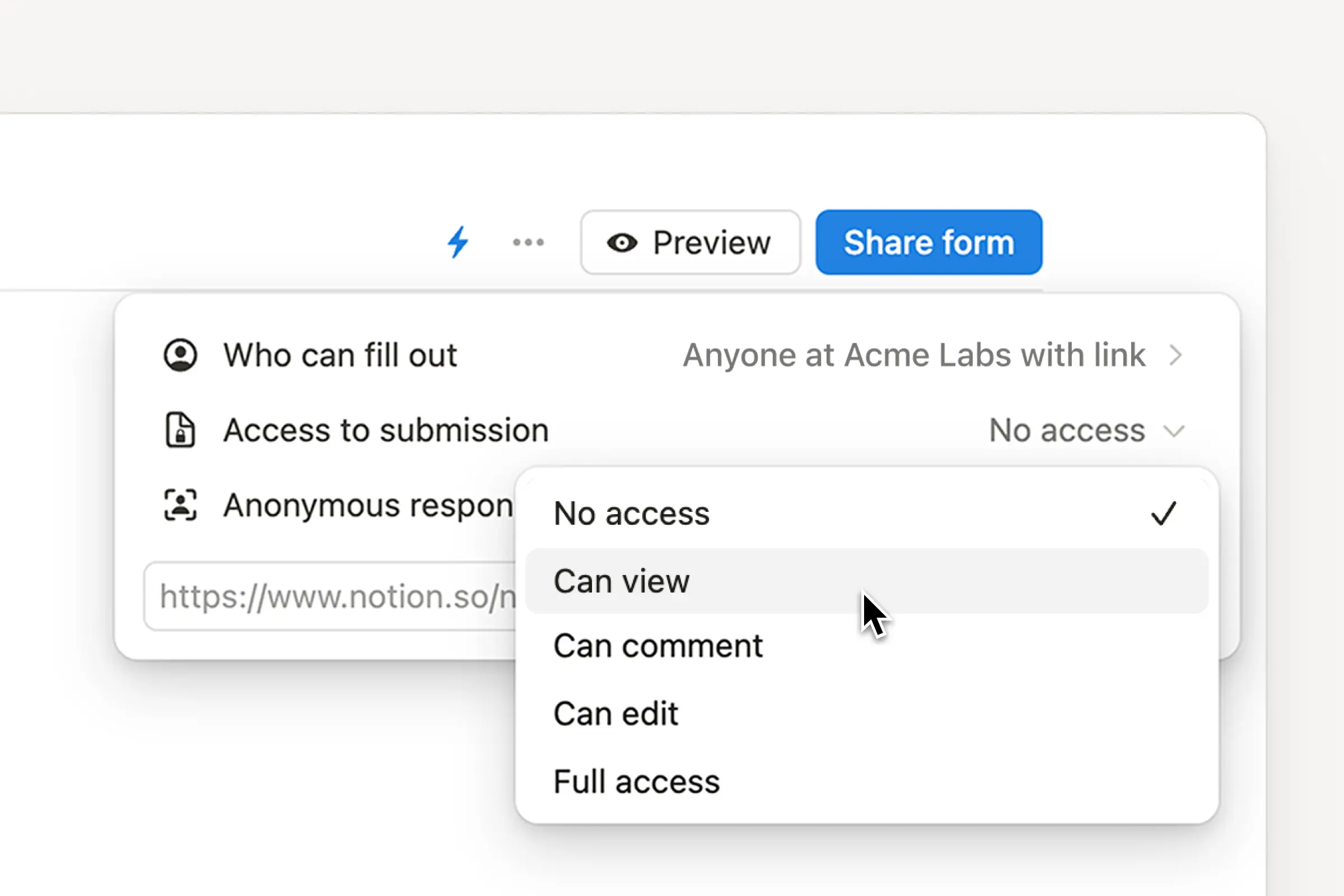
Limit what form respondents see

Now you can restrict viewing privileges so others in your workspace only see their own submissions—not the entire database of responses!

whats-new-forms (1)

More reasons to replace your scheduling app

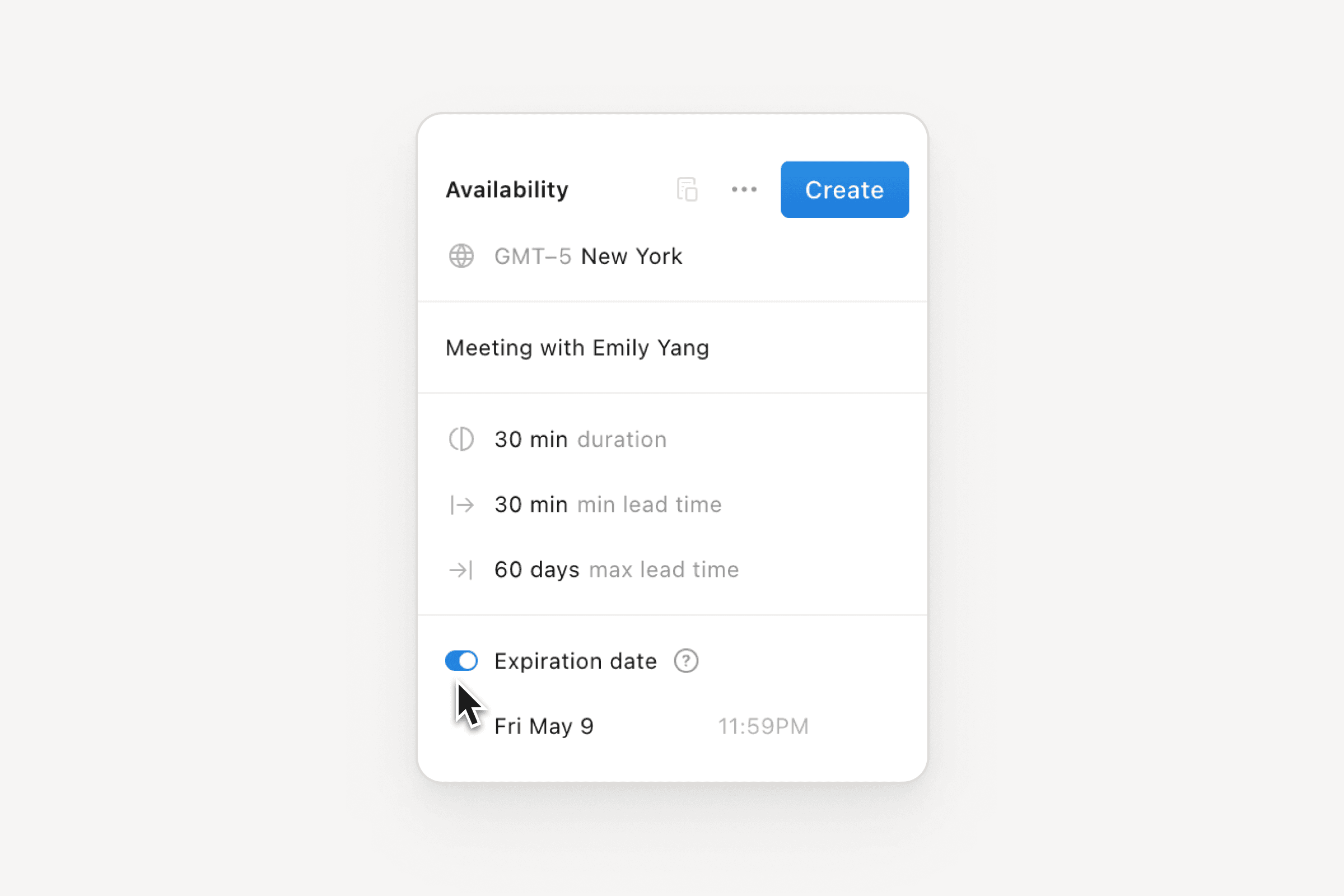
You can now set an expiration date for your scheduling link and how far into the future people can schedule a meeting with you in Notion Calendar. Download Notion Calendar →

calendar set

More improvements to start the year!

  • If your automation has errors, we’ll now show you helpful tips so you can fix it!

  • We added the ability to search your settings from the ••• menu.

  • When you make a form that allows respondents to select more than one answer to a question, you can now limit the number of options people can select.

  • In the Android app’s inbox, you can now swipe left or right to act on notifications.

  • When you make a button, you can now set it to insert a block at the top or bottom of your page.

2.47

2.47: More automations, answers from GitHub, and easy Calendar scheduling

Get answers from GitHub Beta

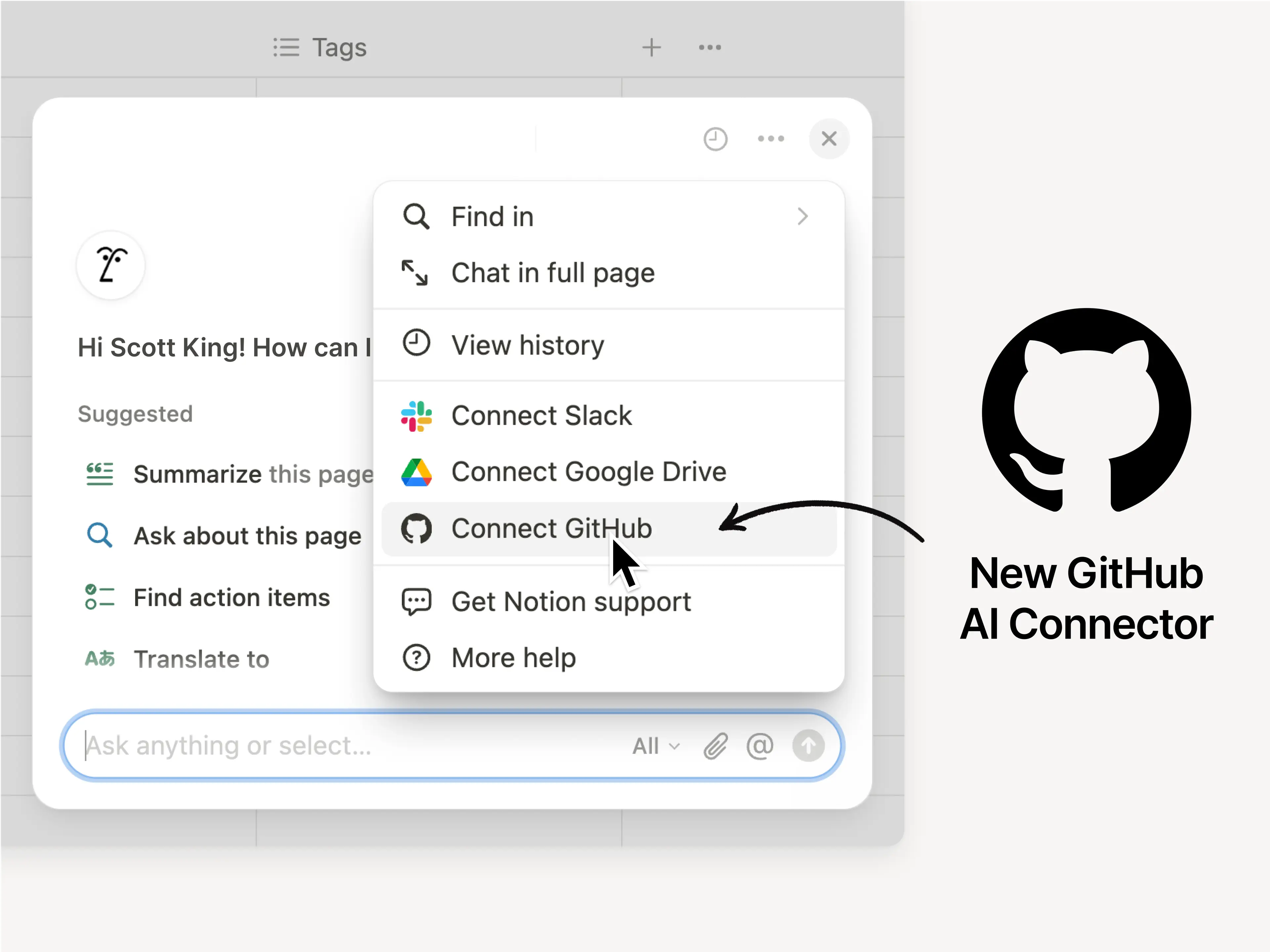
Now when you ask Notion AI questions, it will search GitHub (in addition to other sources like Slack and Google Drive) to find answers. This is a big shortcut for finding code, markdown files, pull requests, and more. Learn more →
GitHub AI Connector (Beta)

Automate 1,000+ workflows with webhook actions

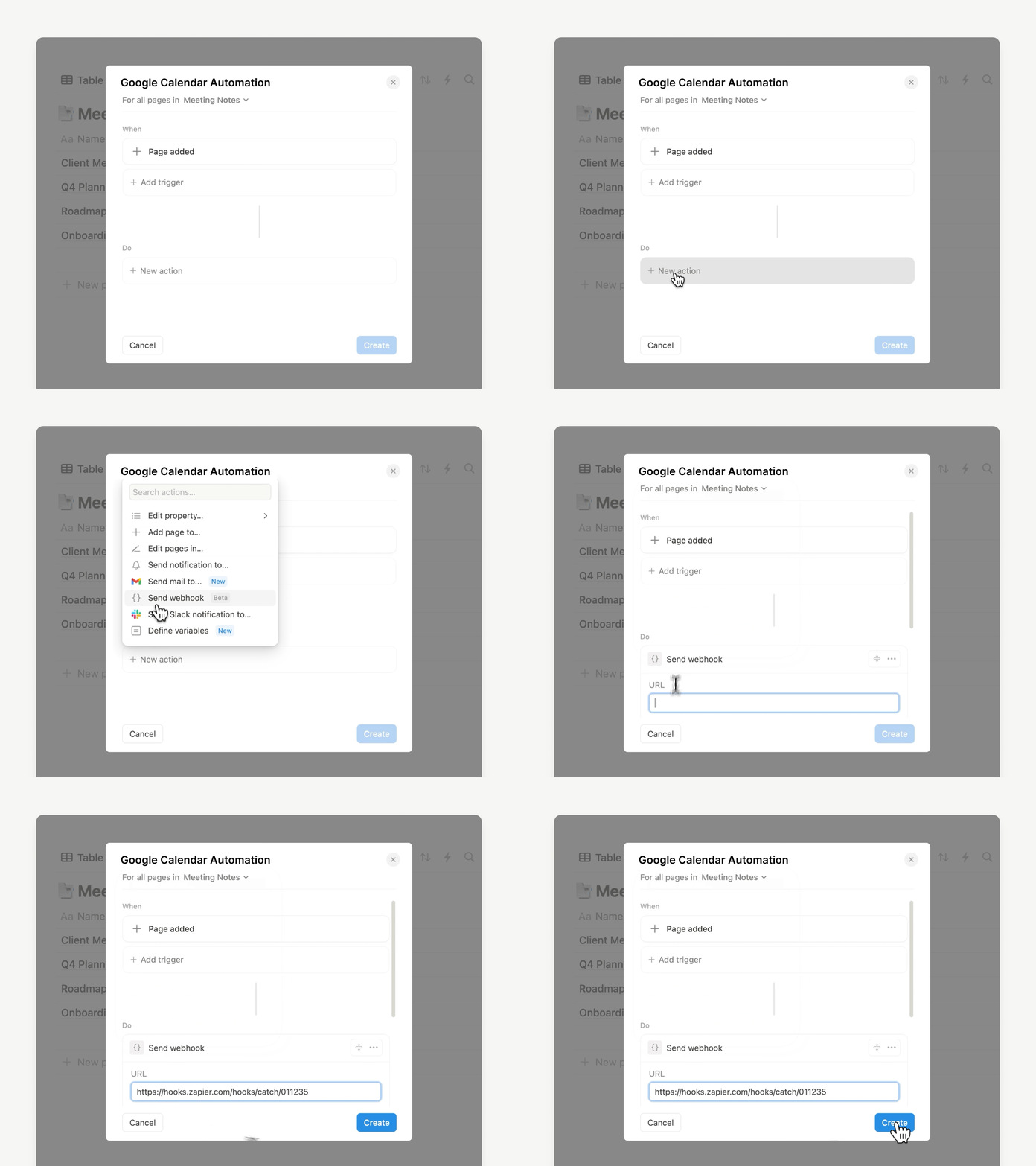
We’ve been working hard to ship webhooks and this is our first big step. Now you can connect your workflows with thousands of other tools through platforms like Zapier and Make. Try the new automations in a button or database, like triggering a post to publish on X (aka Twitter) or updating a contact in Hubspot. So many possibilities! Learn more →

Webhooks action gif

Press a button, send a notification

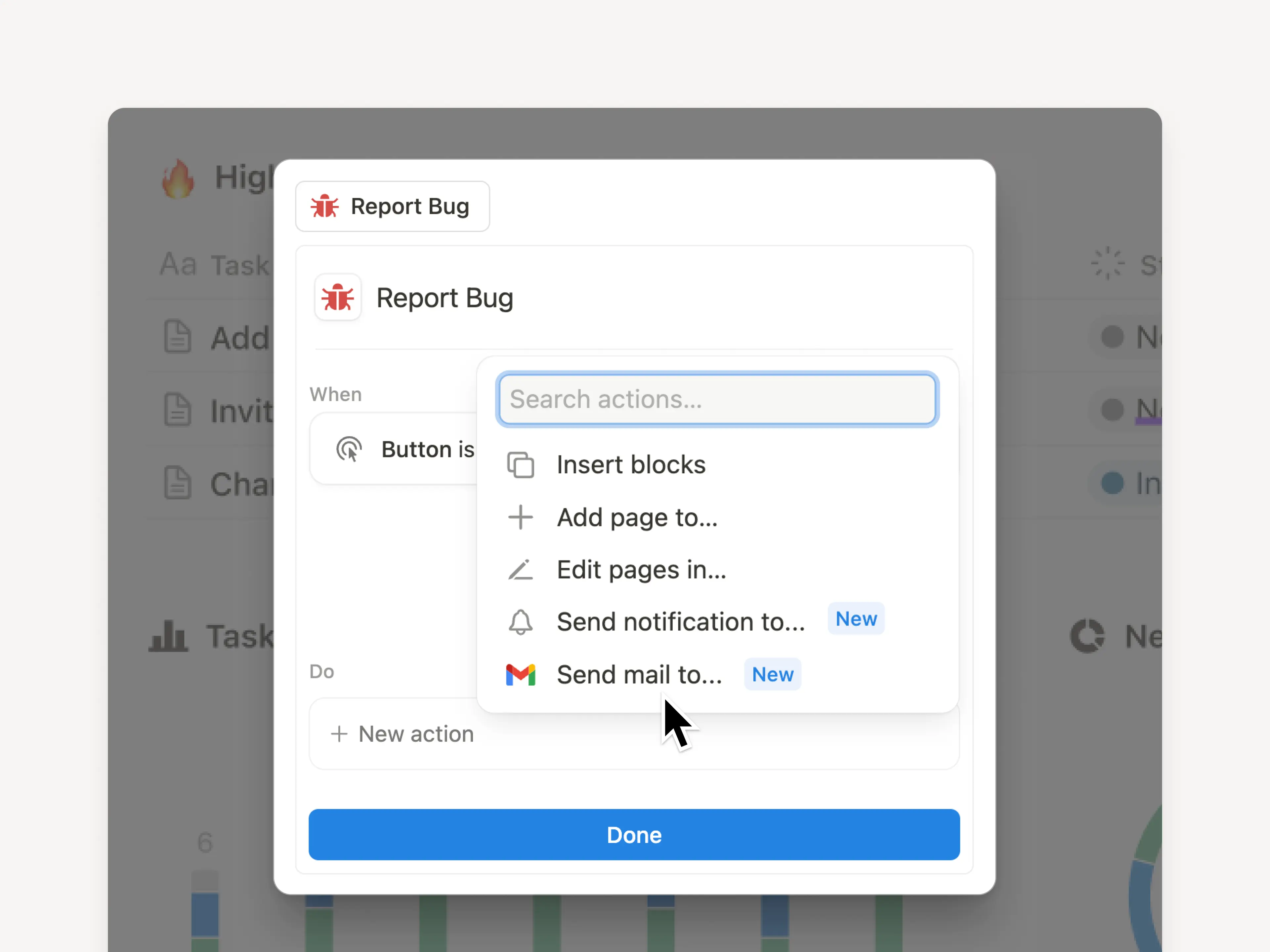
No more switching apps just to send a message to your team! Send a notification in Notion or a customized email from Gmail using a Notion button. Try it in your workflows to automatically notify coworkers when a bug report comes in, or email your manager when you’ve finished an important task. Learn more →
Easy scheduling with Notion Calendar

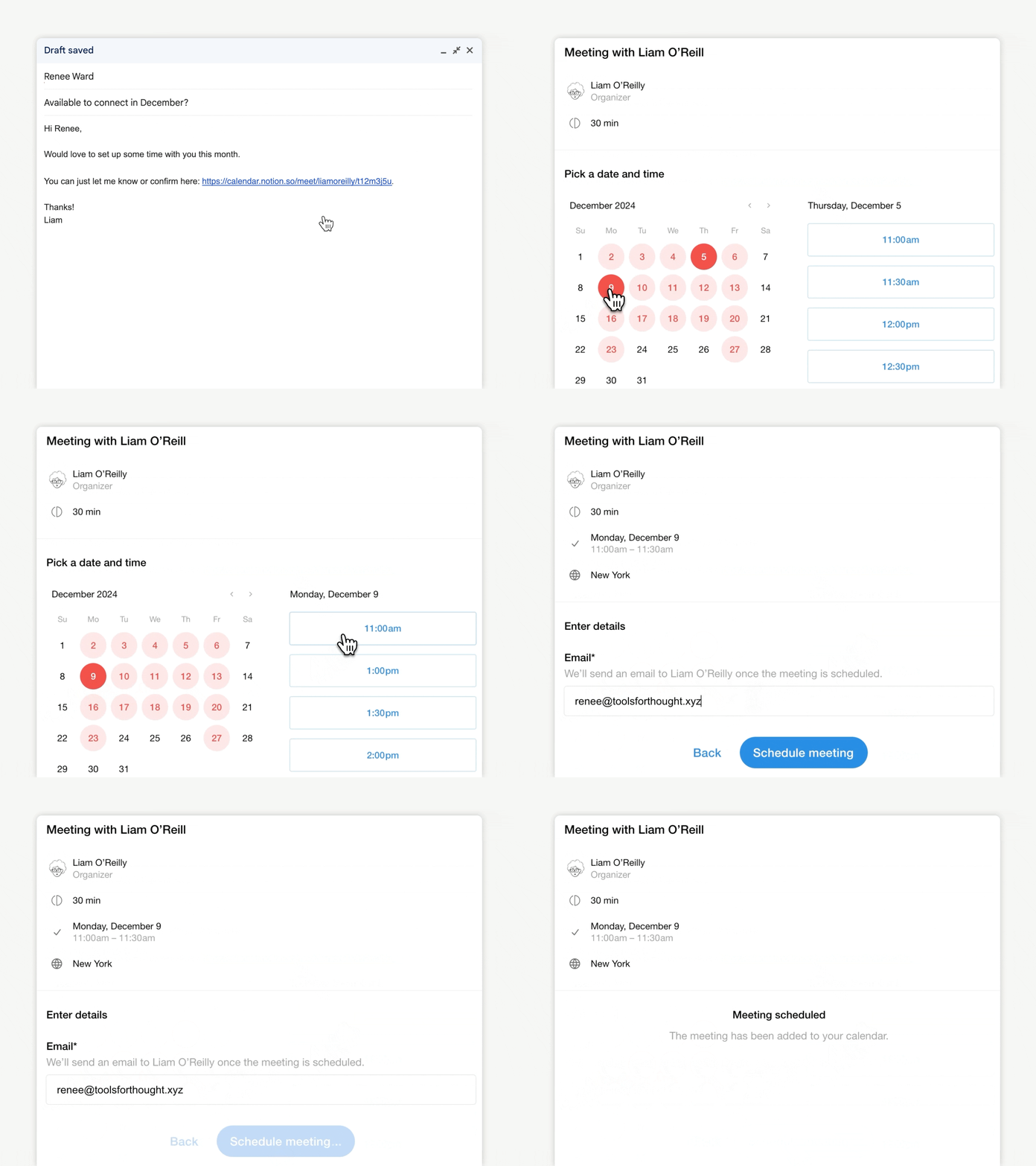
Another time-saver: Now when you Share availability in Notion Calendar, you can allow multiple people to book time with you, avoid conflicts, and handle reschedules—all without having to use a separate scheduling app. It’s super easy to add a scheduling link to your emails! Download Notion Calendar →

Capture notes with new iOS shortcuts

It’s now easier than ever to capture a quick idea! We’ve added four iOS shortcuts: create a page, search in Notion, add text to a page, or open a specific doc. Set them up by using the Shortcuts app on your iPhone. Download Notion on iOS →

Because details matter

  • Color Picker: We redesigned the color picker so you know exactly what element you’re changing.

  • Rounded Corner: We smoothed the corners of checkboxes in a database, ahh!

  • Happy Birthday: Try the Birthday event type in Notion Calendar. It automatically repeats every year so you never forget!

  • HIPAA AI upgrade: Did you know Notion AI is HIPAA compliant? And now HIPAA customers can analyze PDFs using Notion AI.

  • Monday.com importer Beta: Now you can import any kind of board from Monday.com. Select specific boards you want to bring into Notion or choose to migrate everything at once. Try the new importer →

2.46

Notion 2.46: Forms, Mail, layouts, new automations, and more!

Watch the recap

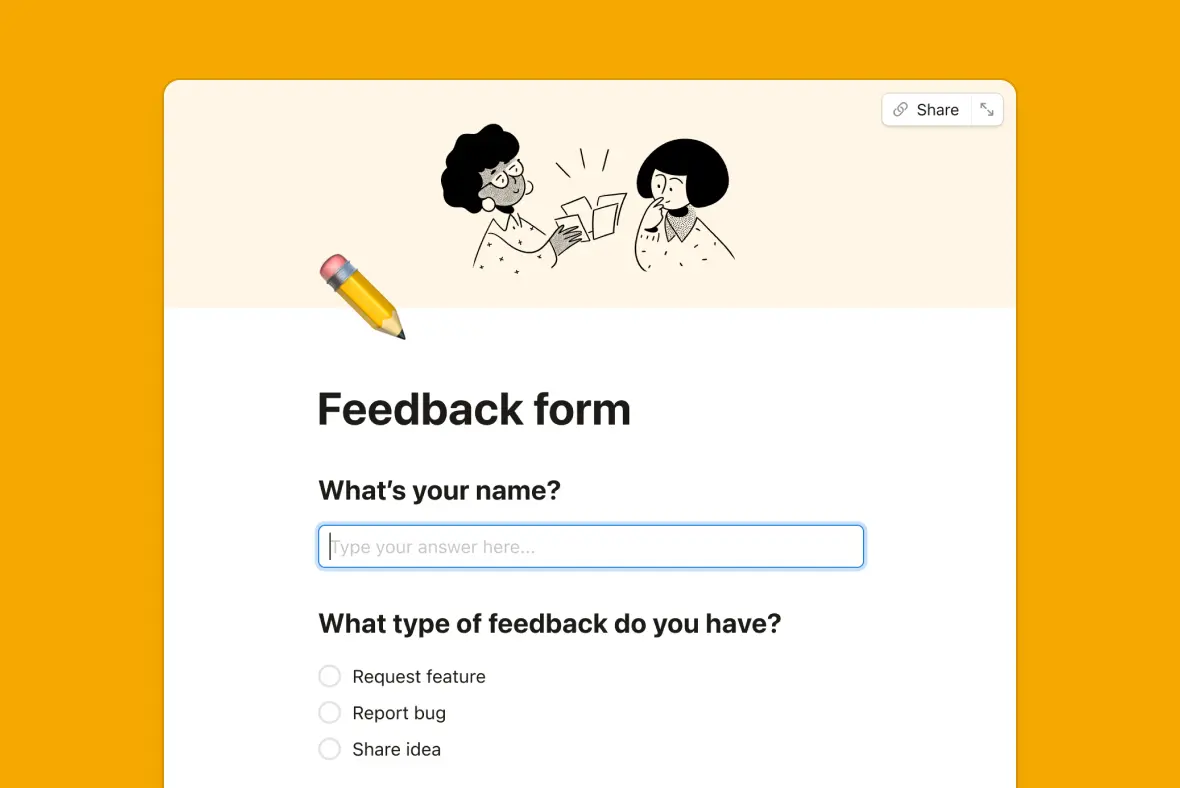
Introducing forms, right inside Notion!

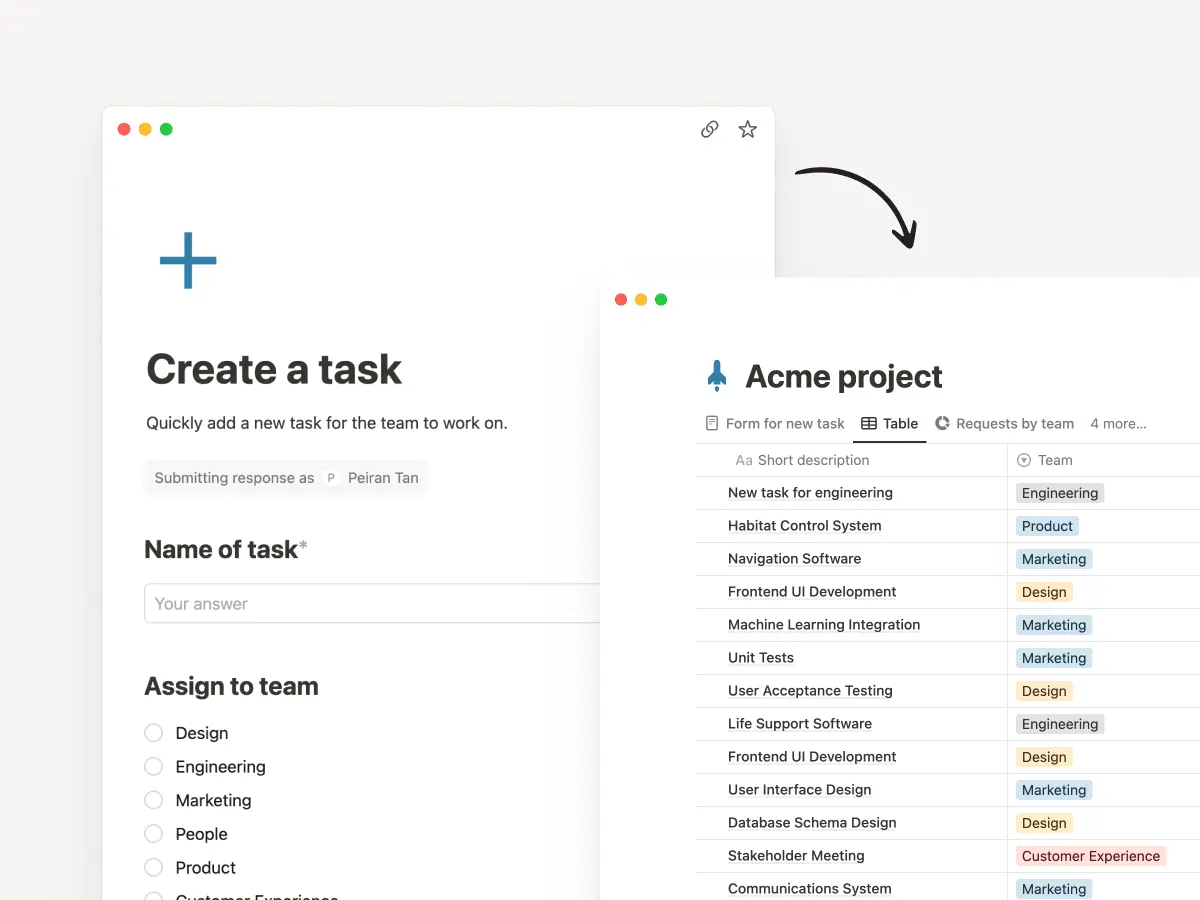
Forms give you an easy way to capture requests, feedback, RSVPs, or anything you need right where you work. Responses are stored in a Notion database, where you can keep everything organized, visualize the input as a chart, or turn feedback into tasks. No need for an outside tool! You get unlimited forms for free. Try one out →

Automations-Professional

Notion Mail (coming soon!)

Email hasn’t changed in 20 years. It's cluttered, chaotic, and hard to manage. So we rebuilt it! Notion Mail is fast, minimal, and does all the organizing and back-and-forth of scheduling for you! Best part is “views” that let you customize your inbox to your workflows, just like the rest of Notion. We can’t wait for you to try the preview and hear how it changes the way you work. Join the waitlist!

Layouts to customize your page

The way you and your team work is unique and your tools should be flexible enough to match! So we created a way for you to layout your tasks, goals, documents, or whatever you keep in Notion. Your newly organized, beautiful pages will help keep teams focused and efficient. Try it out by hovering over any database page title and clicking Customize layout.

Automations can now send emails

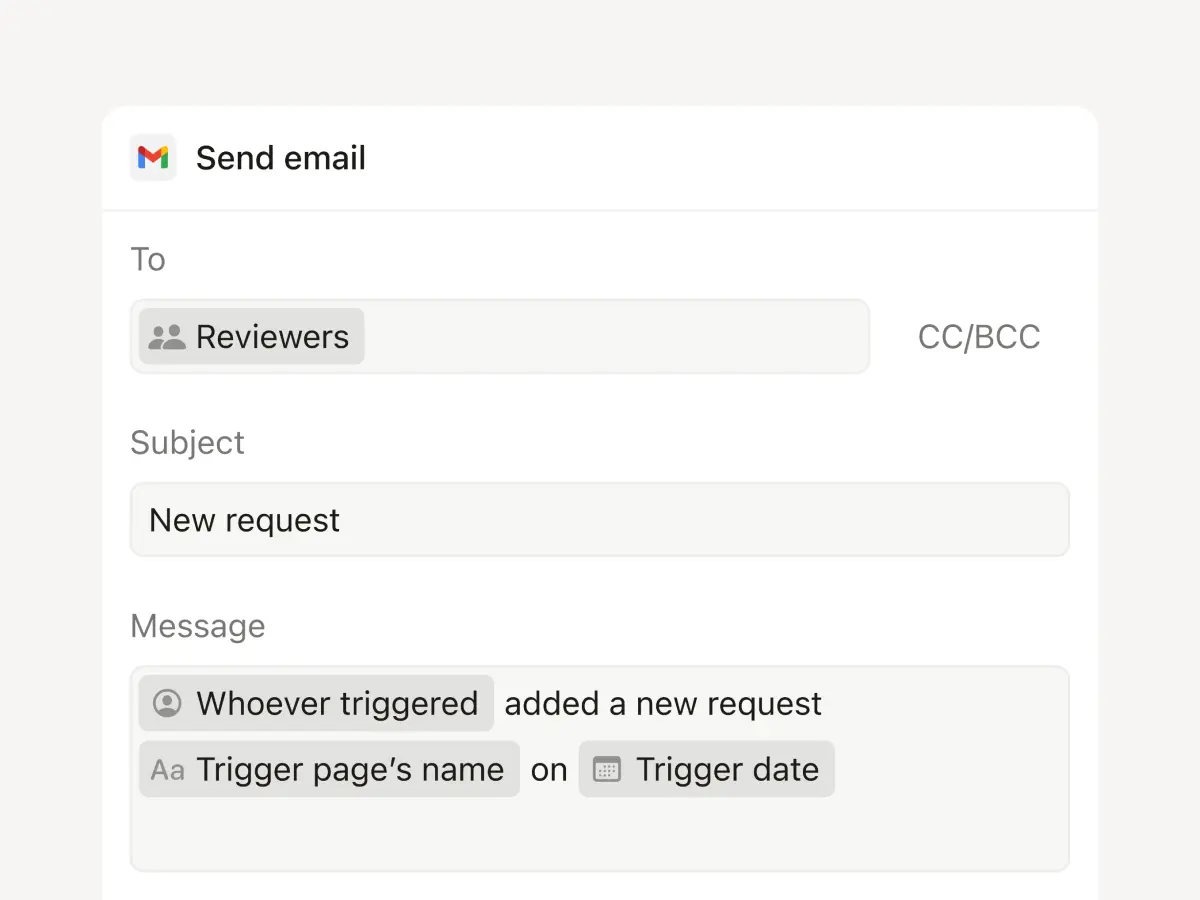
Now you can use an automation to notify people via Gmail (one of your top requests!). Trigger an email when information changes, like when a form has been submitted or the status of a project changes. Soon you’ll be able to send custom web requests to platforms like Zapier and Make to trigger actions in other apps, too.

Email-Action

Automate more actions with formulas

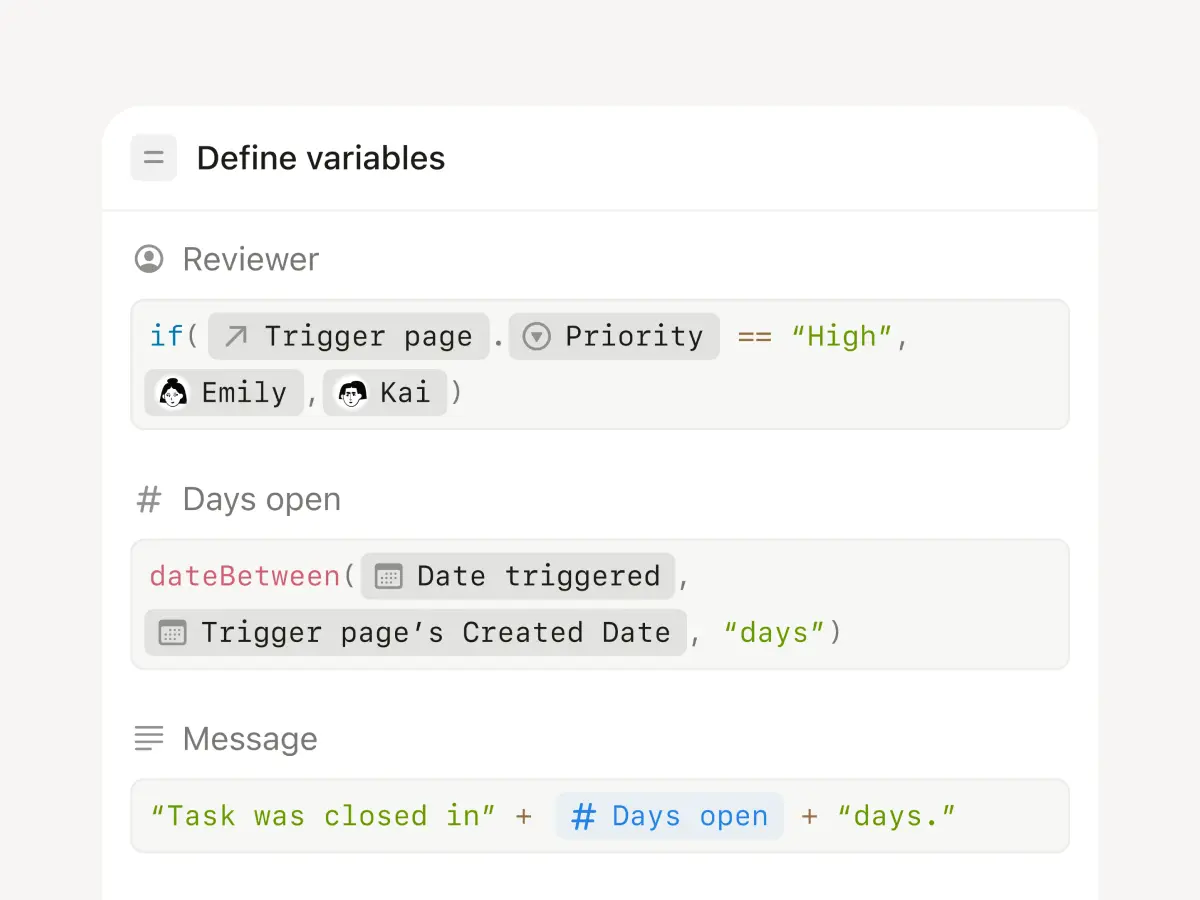
This is a true superpower. Database and button automations now support formulas that can complete steps in the background when you trigger an action—a huge time saver. For example, when you mark a task done, you can automatically show how little time it took to complete. Dig in to learn more →

Formula-Action

Introducing the new Marketplace

Have you created an amazing setup or workflow? We’ve made it easier than ever to list and sell your template. Native payments, analytics, reviews and ratings, safeguards to prevent unfair re-distribution—all in the best place for millions of users to discover your work! Whether you’re looking for the perfect template or starting a business—there are creators who make seven figures on Notion!—this is the place. Go to Notion Marketplace →

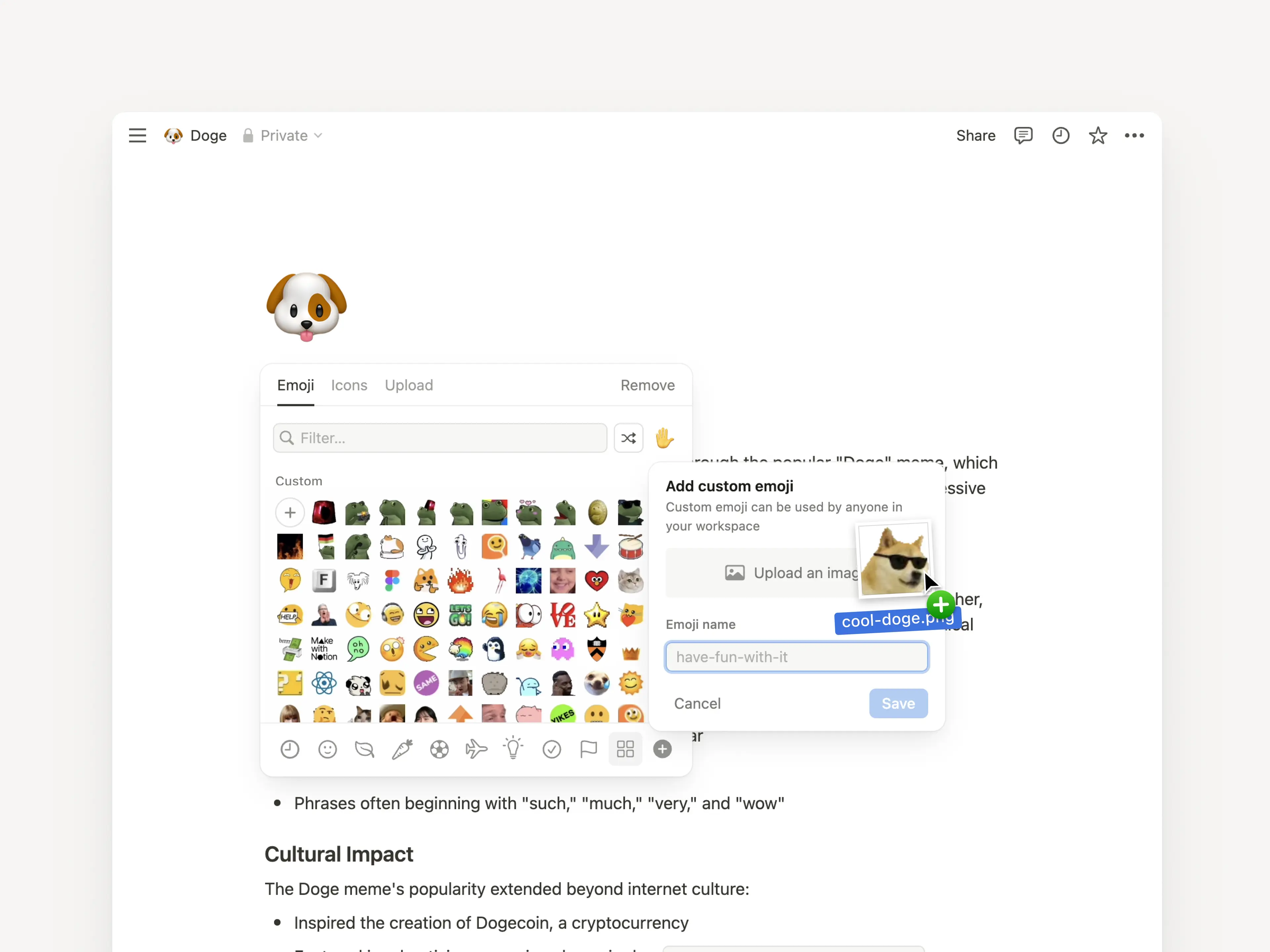
Custom emojis!

Maybe the best update ever? You can now upload your own emojis! Use them in your page titles or anywhere—just type /emoji or : followed by its name.

Custom emoji 2

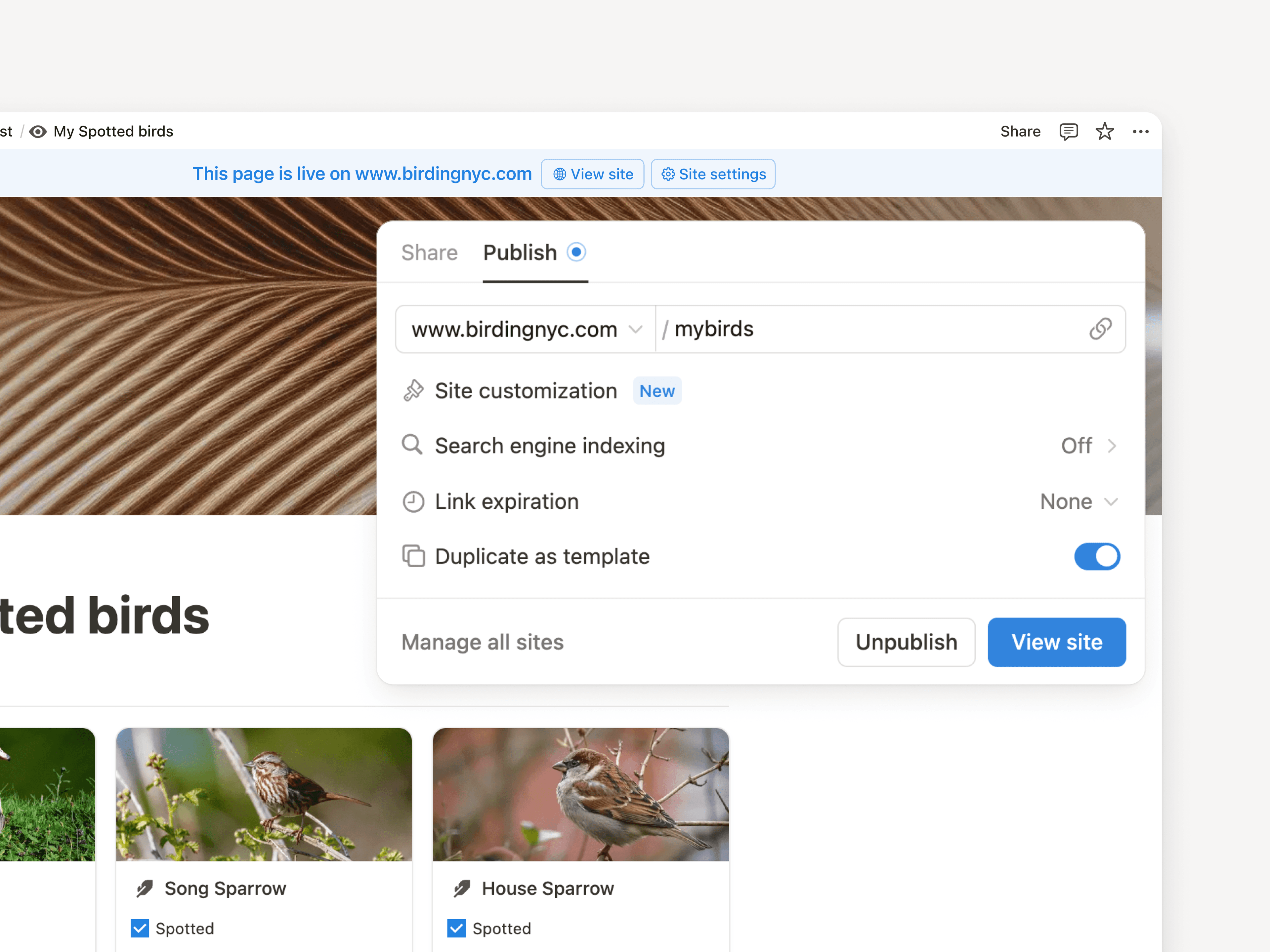
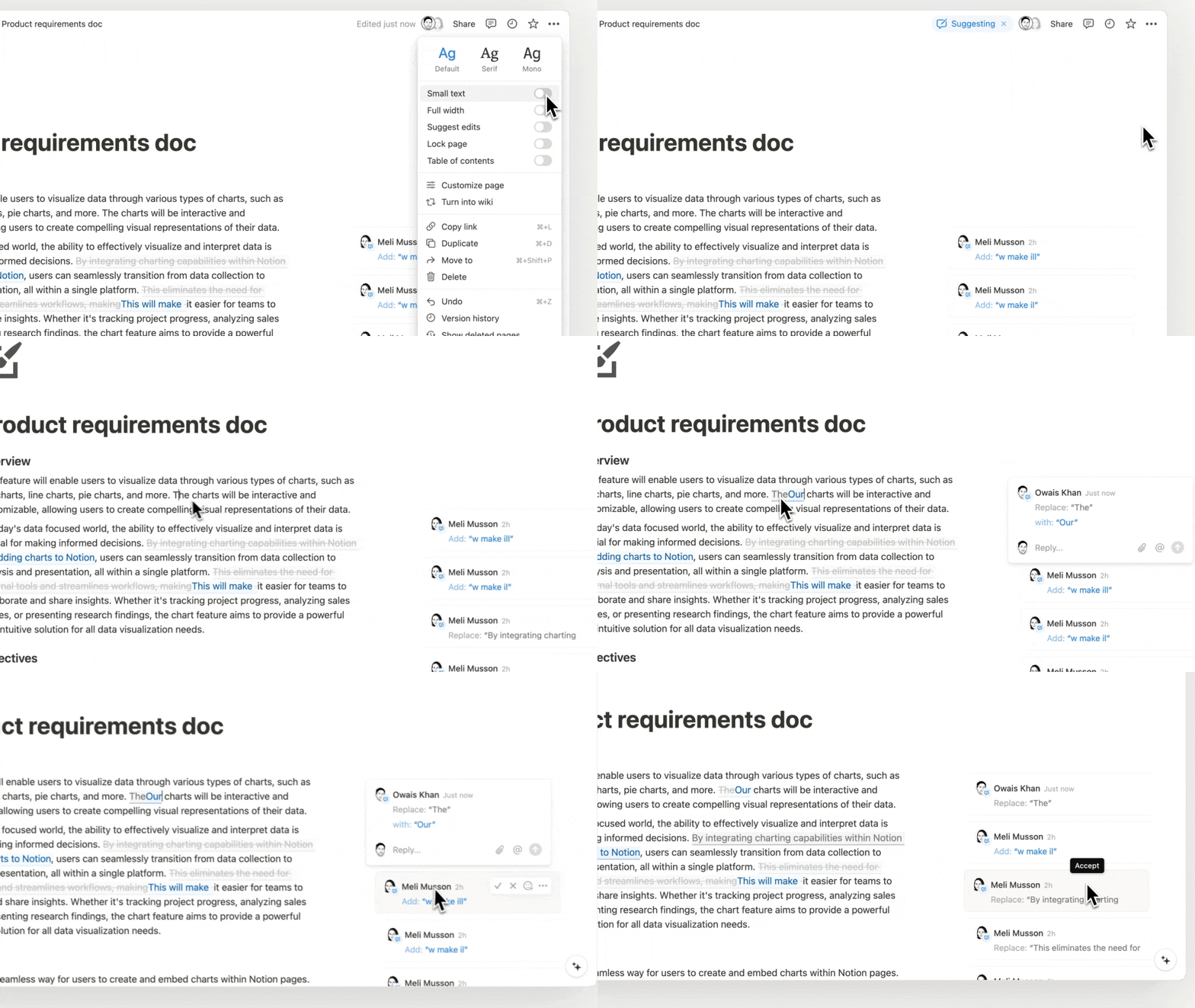
Personalize your URLs

Notion Site URLs often have a long string of numbers and characters, but now you can make them exactly what you’d like! Cory, our video producer and resident birder, turned his site birdingnyc.com/NYC-Birding-Checklist-3ebf732864 into birdingnyc.com/mybirds. Just use the SharePublish menu. Learn more →
URL personal

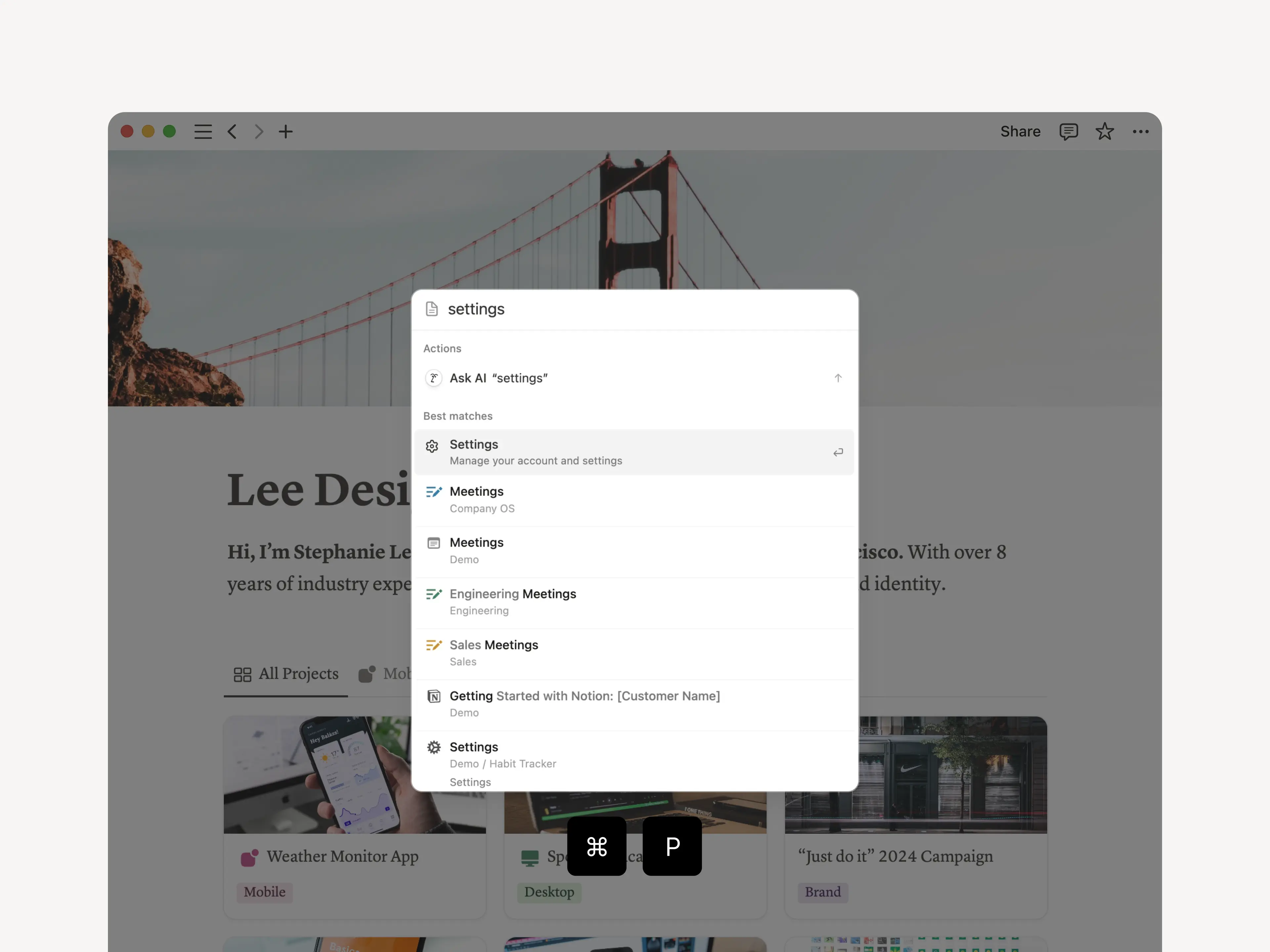
Shortcut to Notion features

When searching, type in a keyword like “Home,” “Settings,” or “Templates” to jump to specific places in Notion. Try it with the ⌘ P keyboard shortcut. It’s a small thing that can make you much faster!

Search for Features 1

A few more improvements

  • Load database info 15% faster. Even with all these new features, performance is still our top priority.

  • Now your page titles, database views, and database pages are aligned (check it out). Sometimes the smallest design details matter most!

2.45

Notion 2.45: Meet the new Notion AI

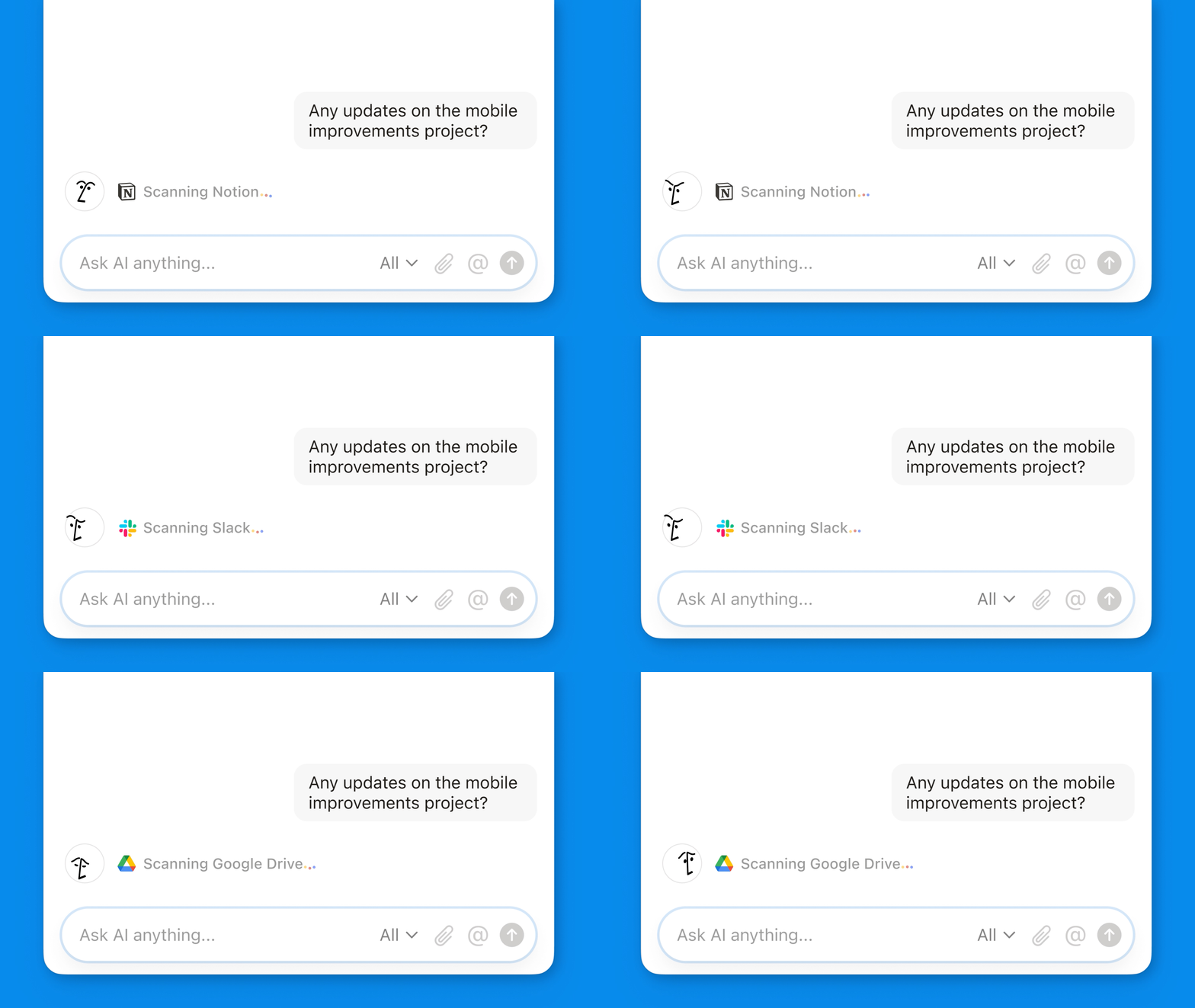
New AI connectors BETA: Google Docs, Sheets, & Slides

Now when you ask Notion AI a question, it can search across your trusted knowledge sources to find the answer—from Slack conversations lost in the stream to Google Slides you forgot existed. GitHub, Jira, and more are coming soon! Learn more →
Generate & edit docs in your own style

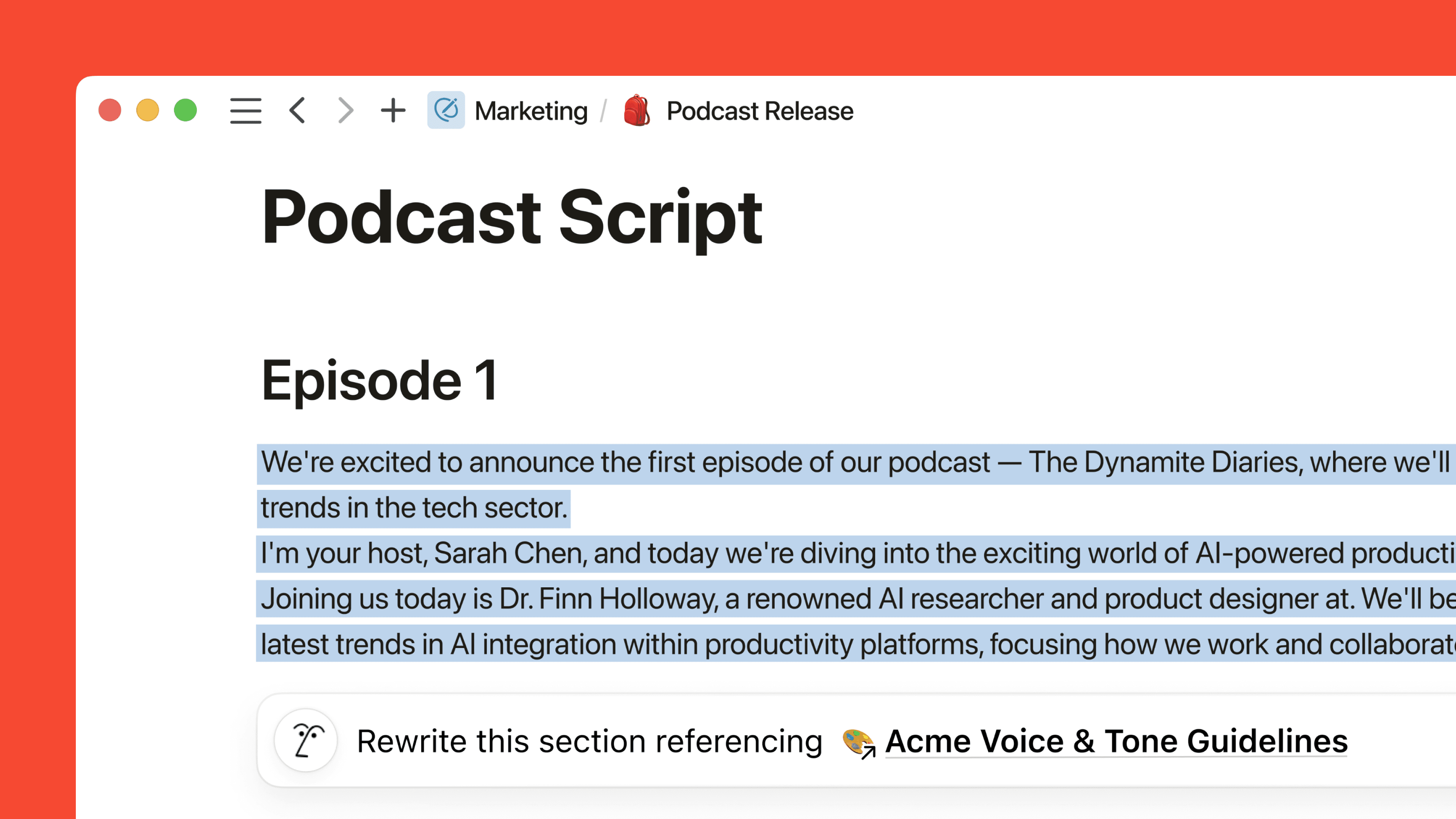
It’s like having a staff of editors and writers. Now when you ask Notion AI to generate or edit your writing, you can guide the response with an @mention of any page, such as a style guide, project update, or batch of user feedback. No more generic responses! Learn more →
Analyze PDFs & images

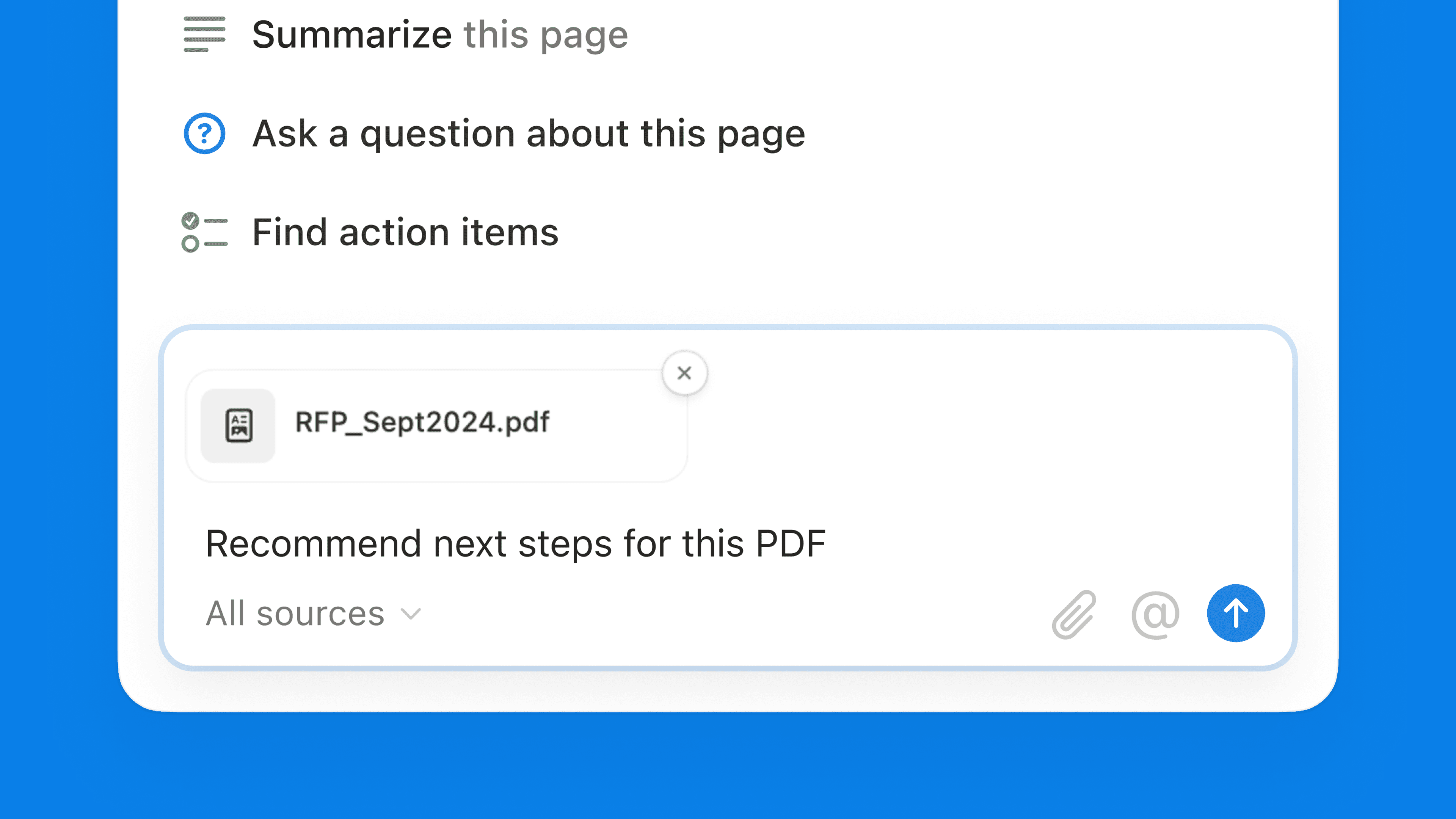
Now Notion AI can pull insights from a lengthy PDF, recommend a workback plan based on a proposal, or explain any uploaded image. Just click the 📎 icon! Learn more →
Chat about anything

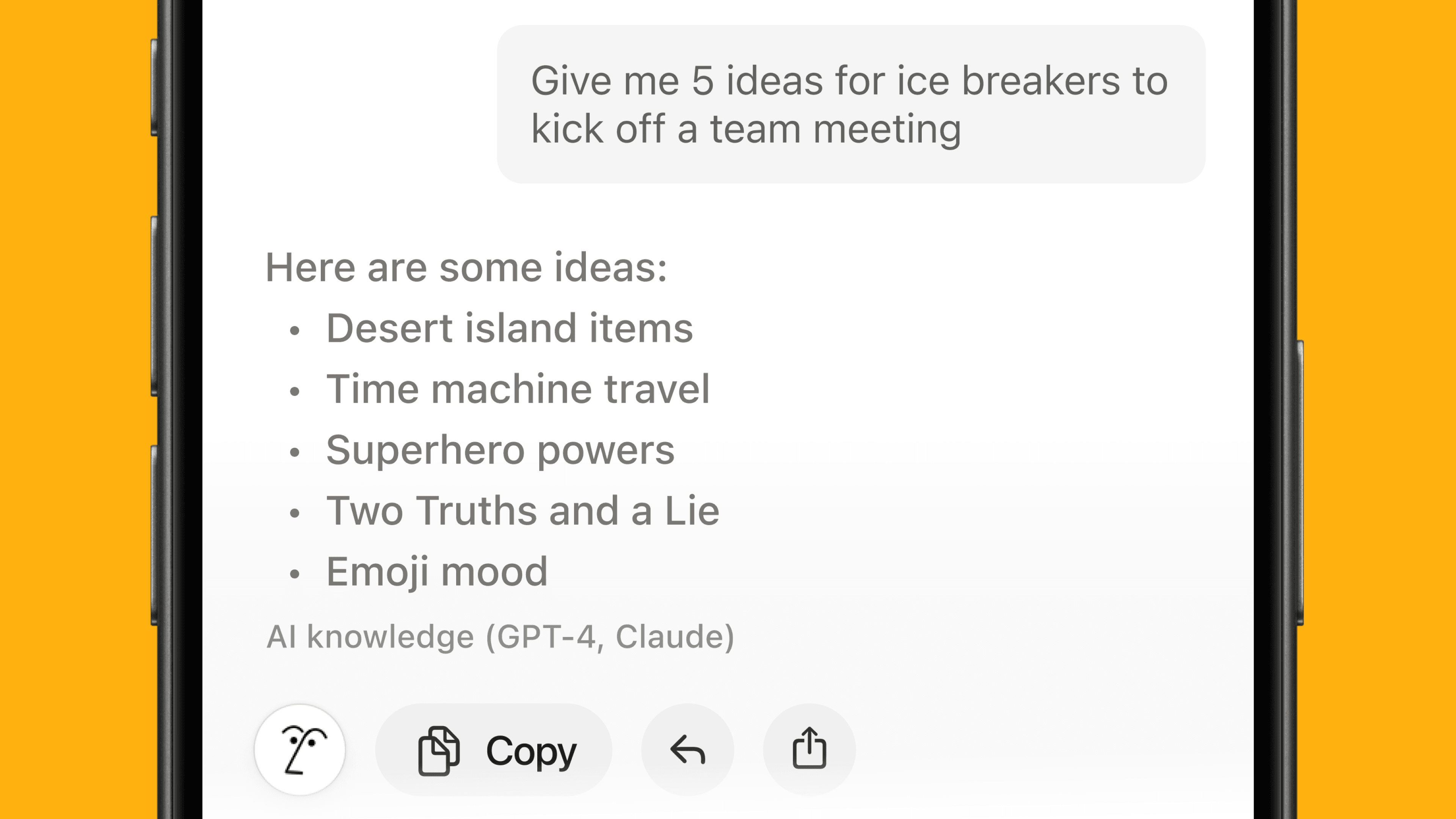
Notion AI has access to cutting-edge language models like GPT-4 and Claude, so you can (privately!) ask it about any topic. And it’s easy to add the response into your page—no need to copy/paste from a separate tab. Learn more →
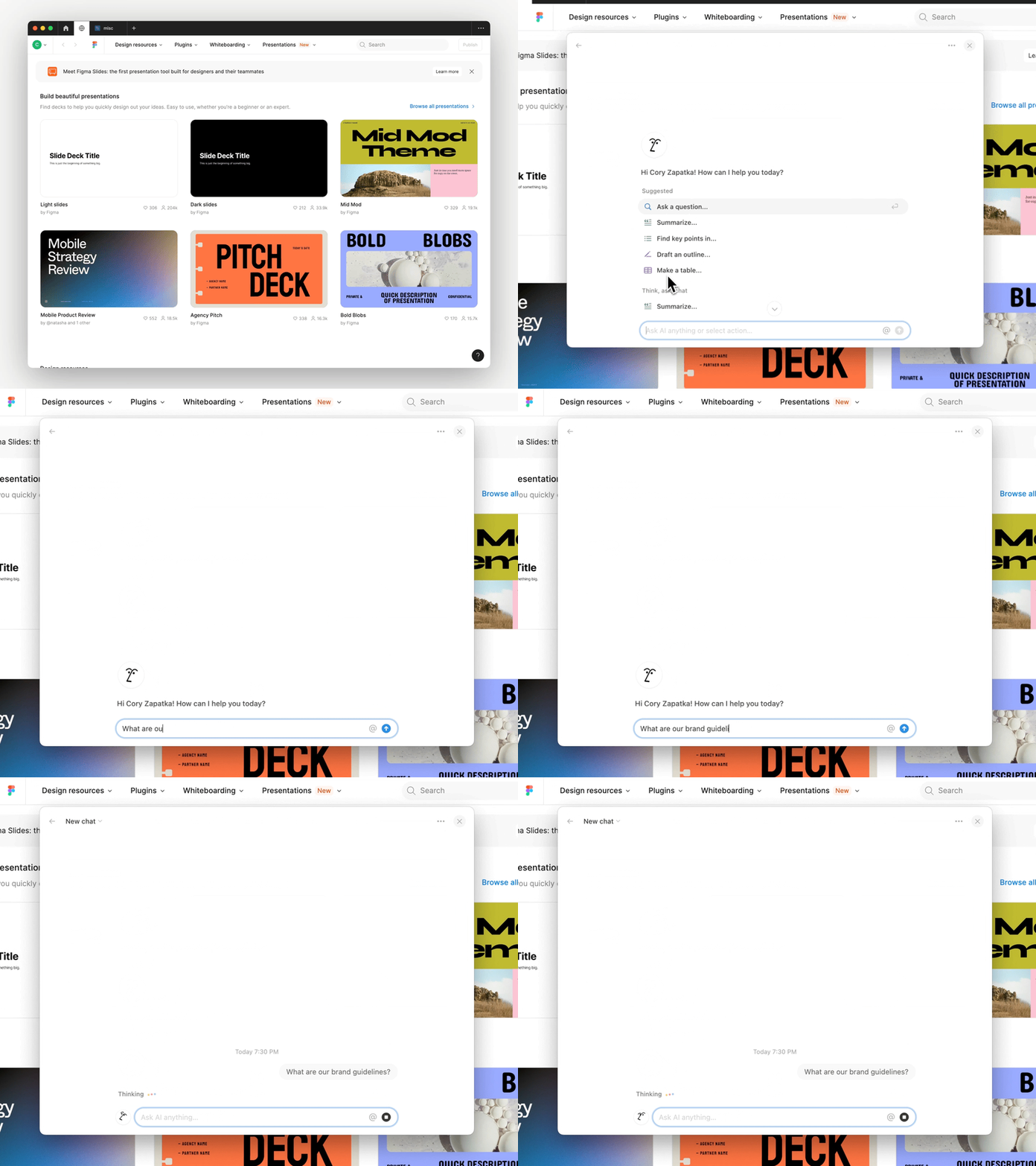
Helps with questions about Notion

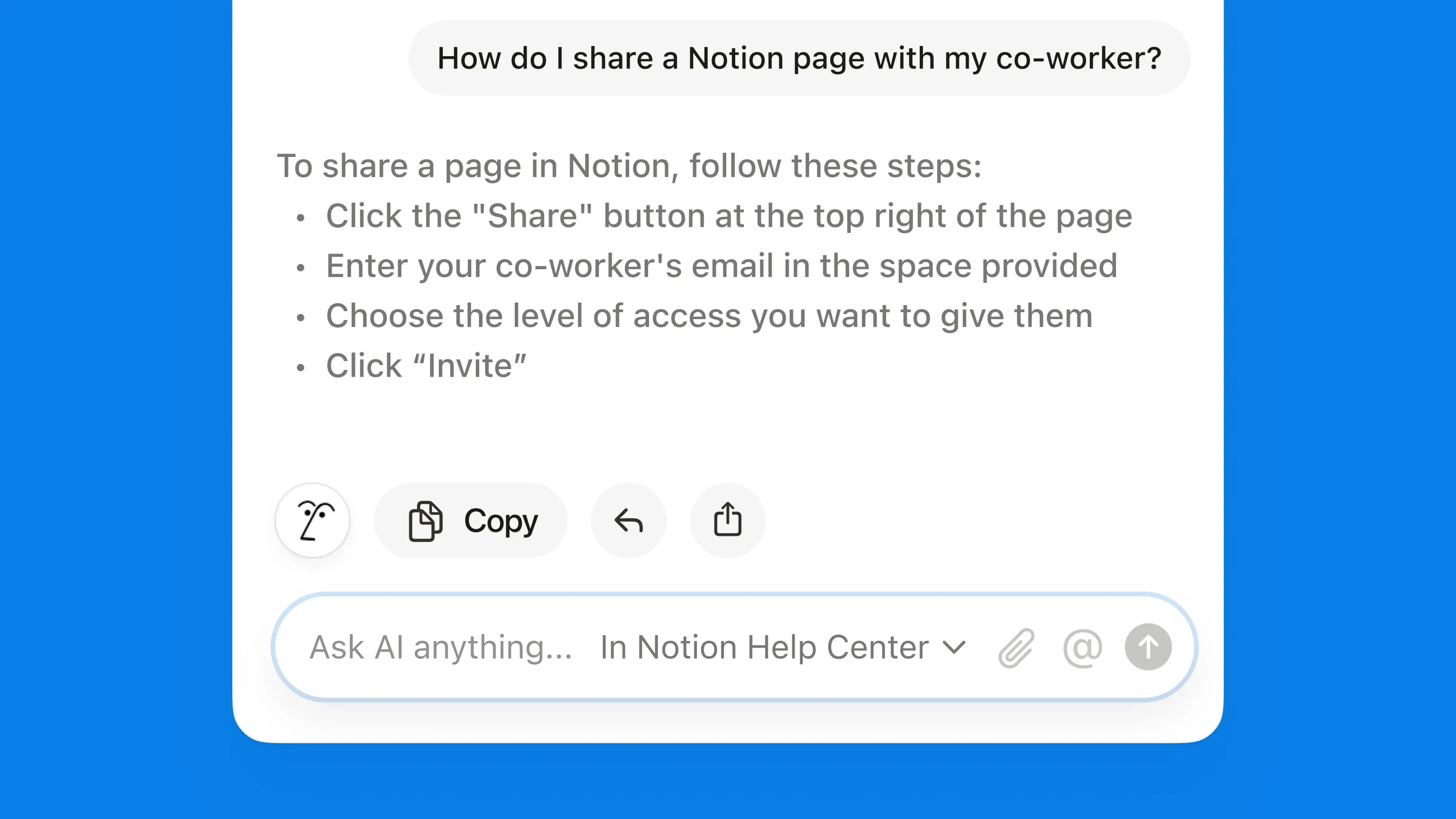
Notion does a lot, and now Notion AI can help you get even more from your workspace. Rather than search our help doc, watch YouTube videos, or bug a teammate, just ask Notion AI a question or select Notion Help Center from the source menu.

Suggests how it can help

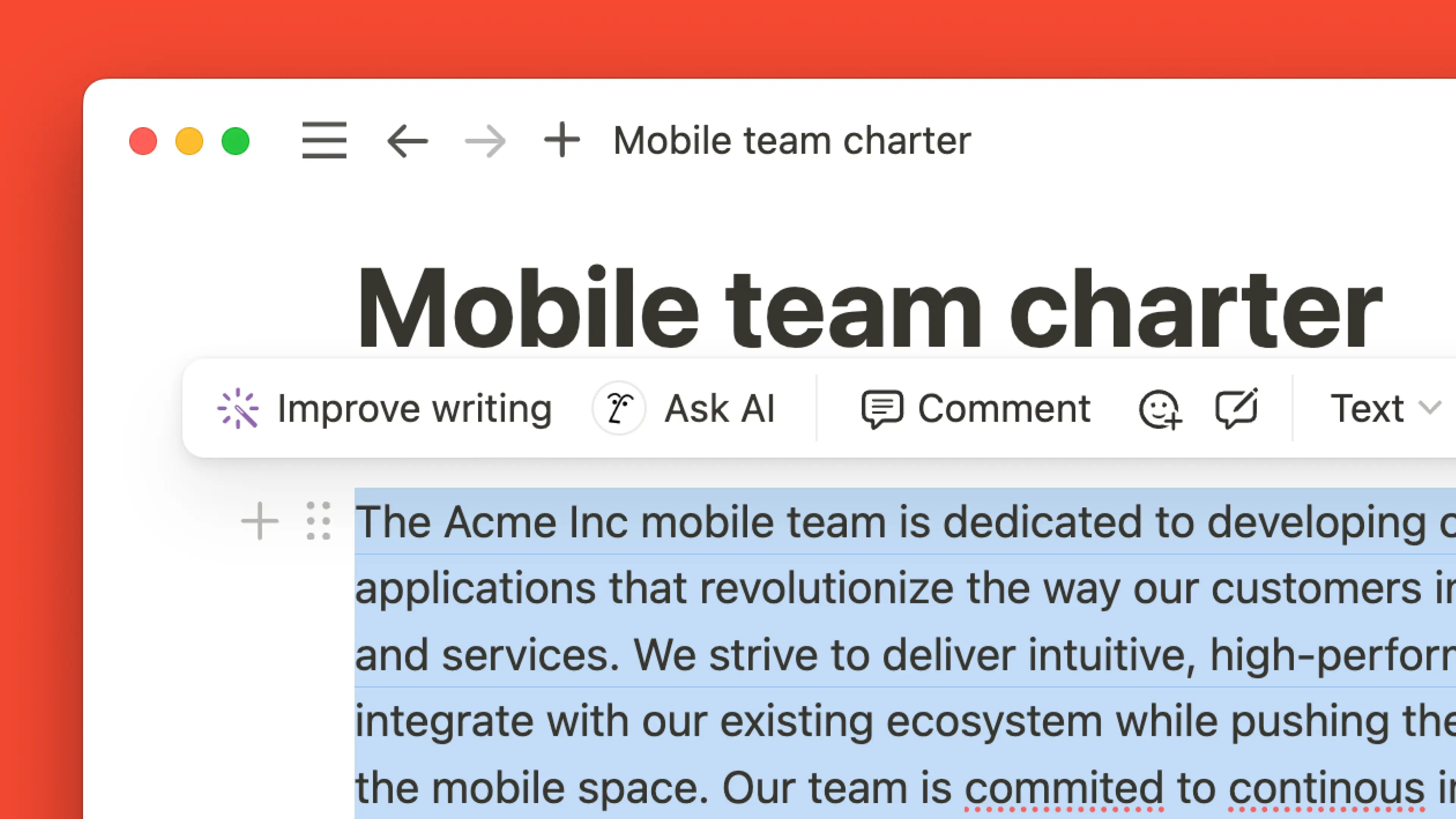
When you highlight text, Notion AI suggests relevant ways to help. It may offer to Explain the text or help you Improve Writing. One click and you get what you need—no prompting. Teams have reported a major uptick in the value of Notion AI with this new, easy-to-use design!

2.44

Notion 2.44: Introducing charts + a sneak peek at forms

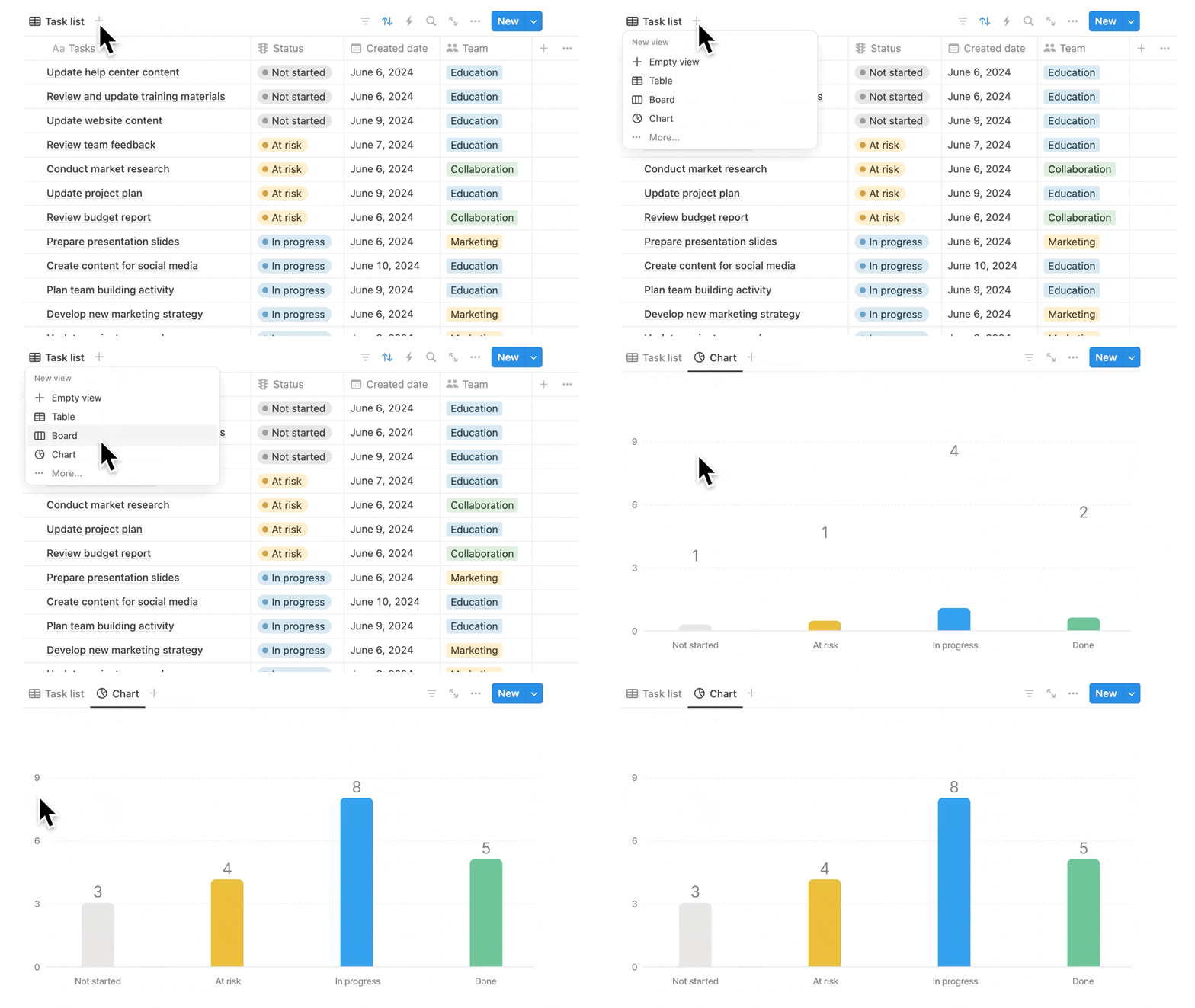
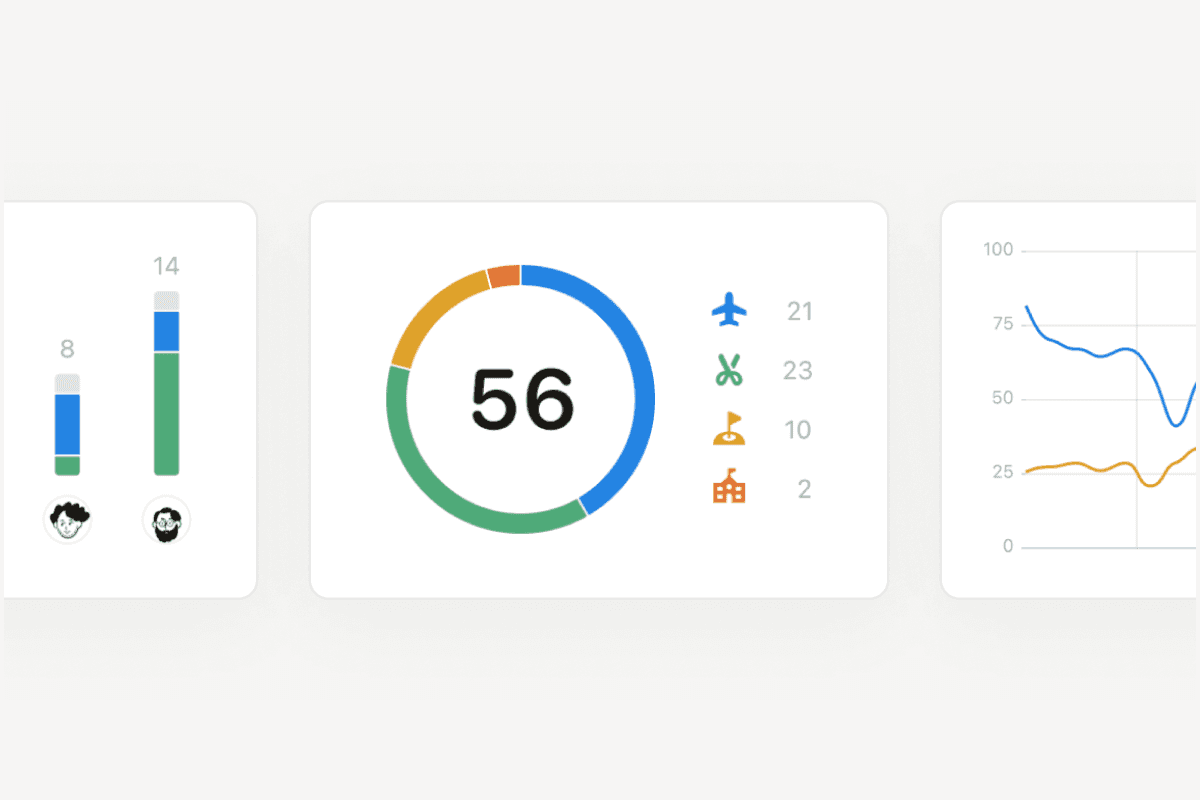
Create a chart in seconds

Turn any database into a chart in one click! Charts help you and your team track projects, goals, sales, or any info you keep in Notion. Try them for free—and if you love them, create unlimited charts on any paid plan.

Task List New 2 (1)

Place charts on any page

It’s easy to add charts to any Notion page or database. Just type /chart and pick your source. When the source data changes, your chart will update automatically. No more pasting screenshots that quickly fall out of date.

Use multiple charts to track everything

Nobody likes flipping between apps to stay on top of projects. Now you don’t have to: you can add multiple charts on a page, then click and drag them anywhere to make a custom layout. And embed analytics from other tools like Tableau and Amplitude to create your dream dashboard!

Customize your charts

Choose from bar, line, or pie charts and change color palettes, axis names, data labels, and more. Charts should be as beautiful as they are useful!

Smarter, more flexible automations

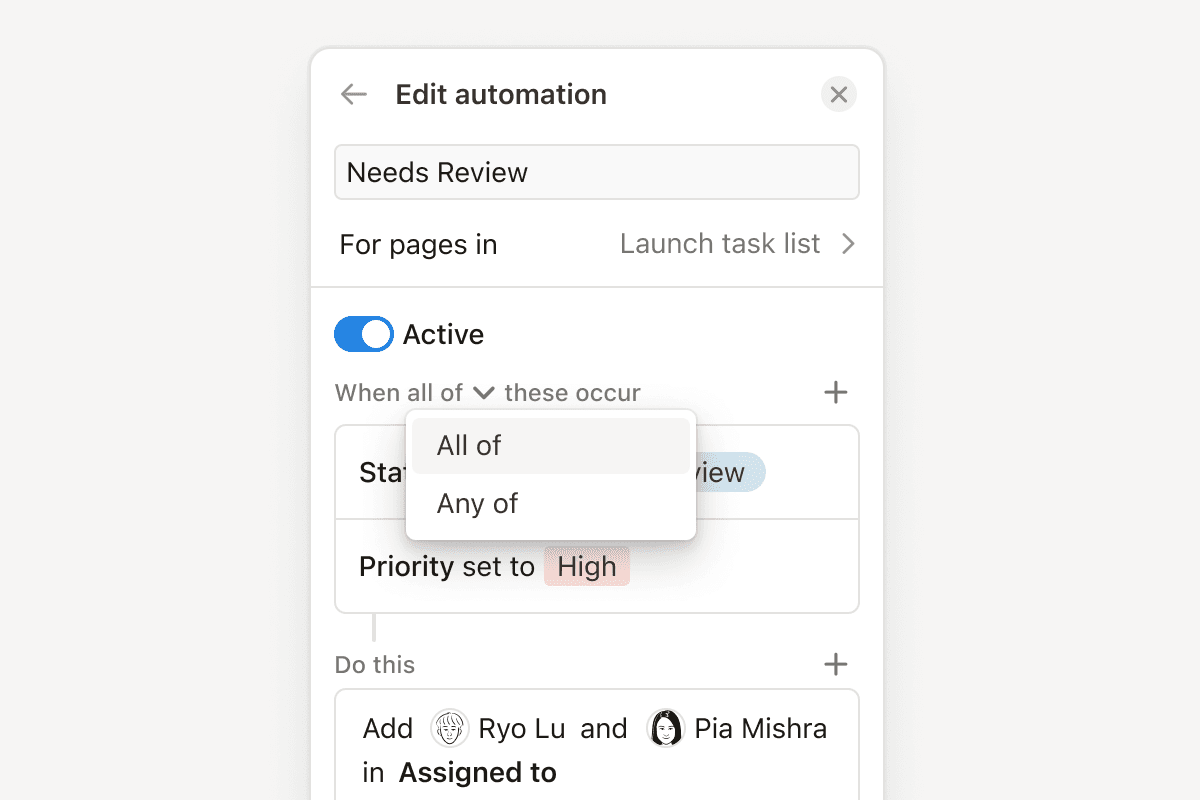
Automations got a big upgrade. You can now specify more than one condition to trigger an action—for example, when a task is marked “overdue” and “high-priority”, automatically notify the team. Or set them to run only when a specific value is met, like when an issue is marked "at risk”. Plus, automations can do new things, like adding or removing people assigned to a project. Learn more →
automation-edit

Next up, Forms! Coming Soon

You’ve been asking for this feature, and we listened. You’ll now be able to request feedback, post surveys, and collect RSVPs or whatever info you need. All responses will automatically populate your Notion database—no more logging results manually. We’ll start opening access in the coming weeks! 😄

image (6) (1)

More new features

  • Coming soon Chart drilldown: Soon you'll be able to click on any data point to review its underlying pages.

  • Add comments on database properties: Ping a colleague or add a note to any database property.

  • Get a sneak peek of desktop tabs: When your cursor hovers over a tab in the desktop app, you’ll see a preview of that tab’s content.

  • Add links to images: Now you can direct any image to a specific page or URL.

2.43

Notion 2.43: Suggested edits + new Notion AI features

Suggested edits

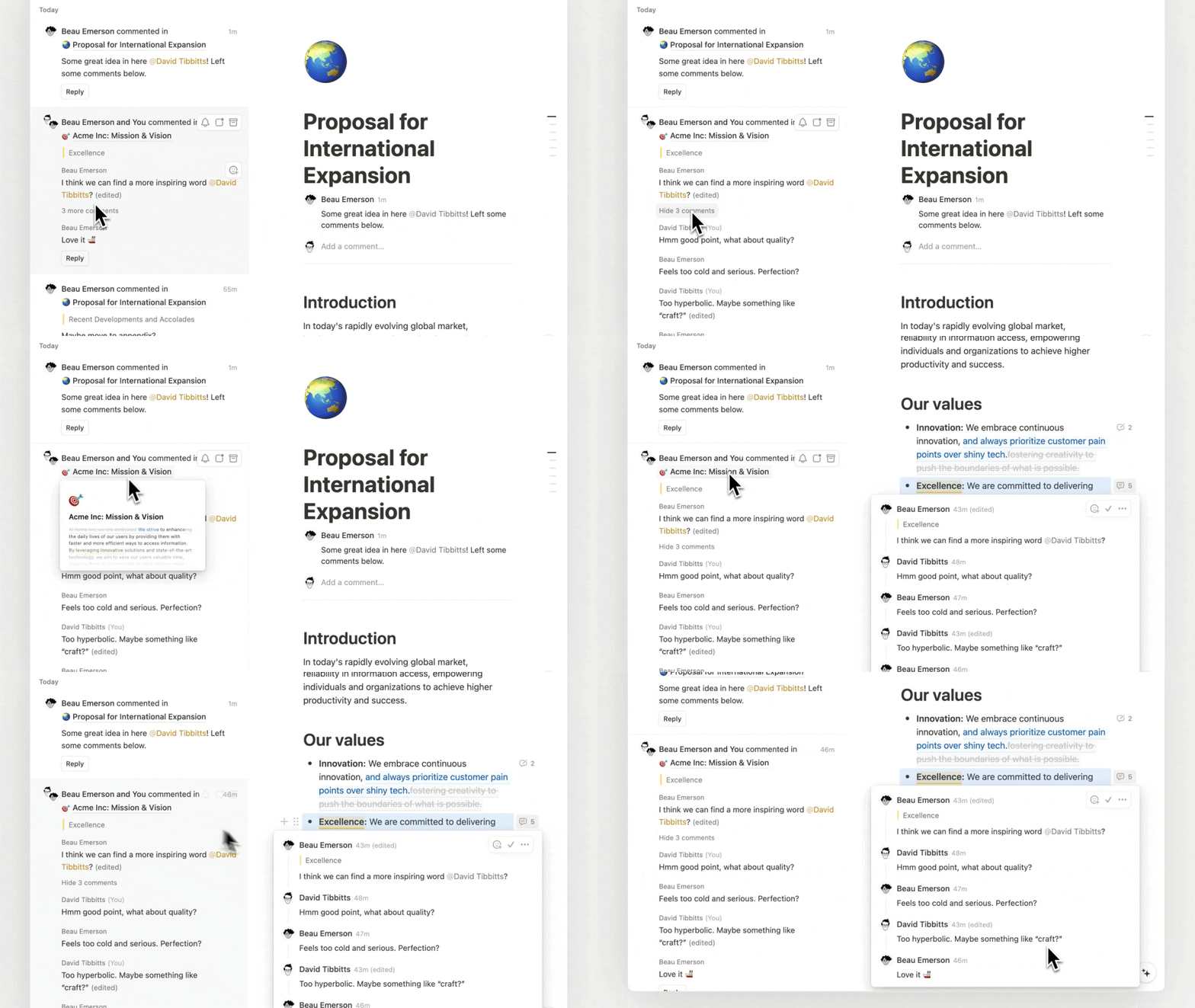
Collaborating on docs used to be a pain, so we made it much easier to track changes! Now any collaborator can make suggestions, and you or a teammate can quickly accept or reject.

Suggest edits

A better Inbox

It can be hard to keep track of all the activity happening in your workspace. So we’ve grouped suggested edits and comments into easy-to-read threads. And as you jump from page to page to resolve comments, your new Inbox stays open to keep you focused.

Better inbox

One-click AI skills (no prompt required)

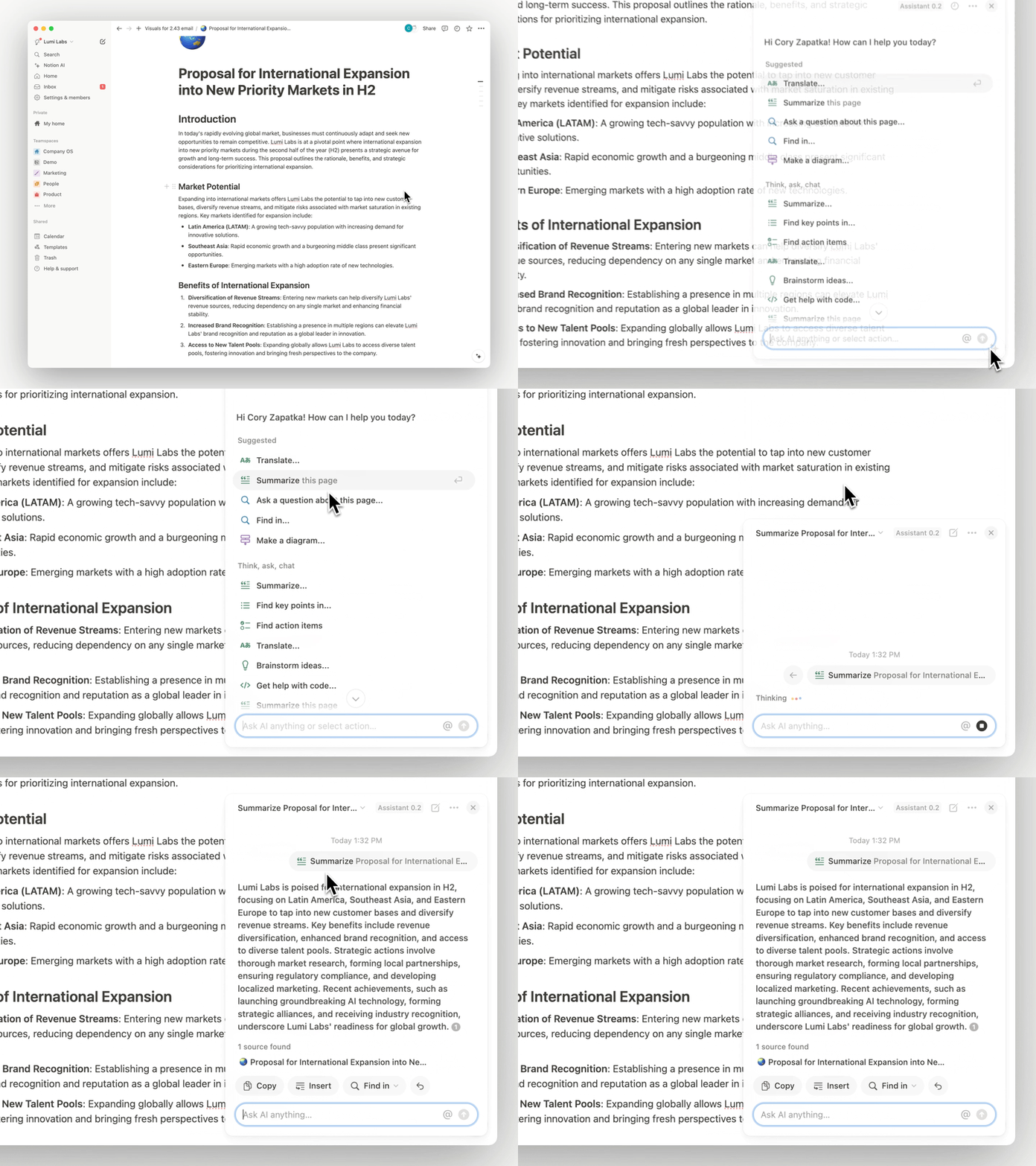
Using AI can feel hard—unless you know how to write a perfect prompt from scratch. These one-click skills make it much easier! Brainstorm ideas, make a diagram, summarize notes, or translate content—all with one click.

One click AI

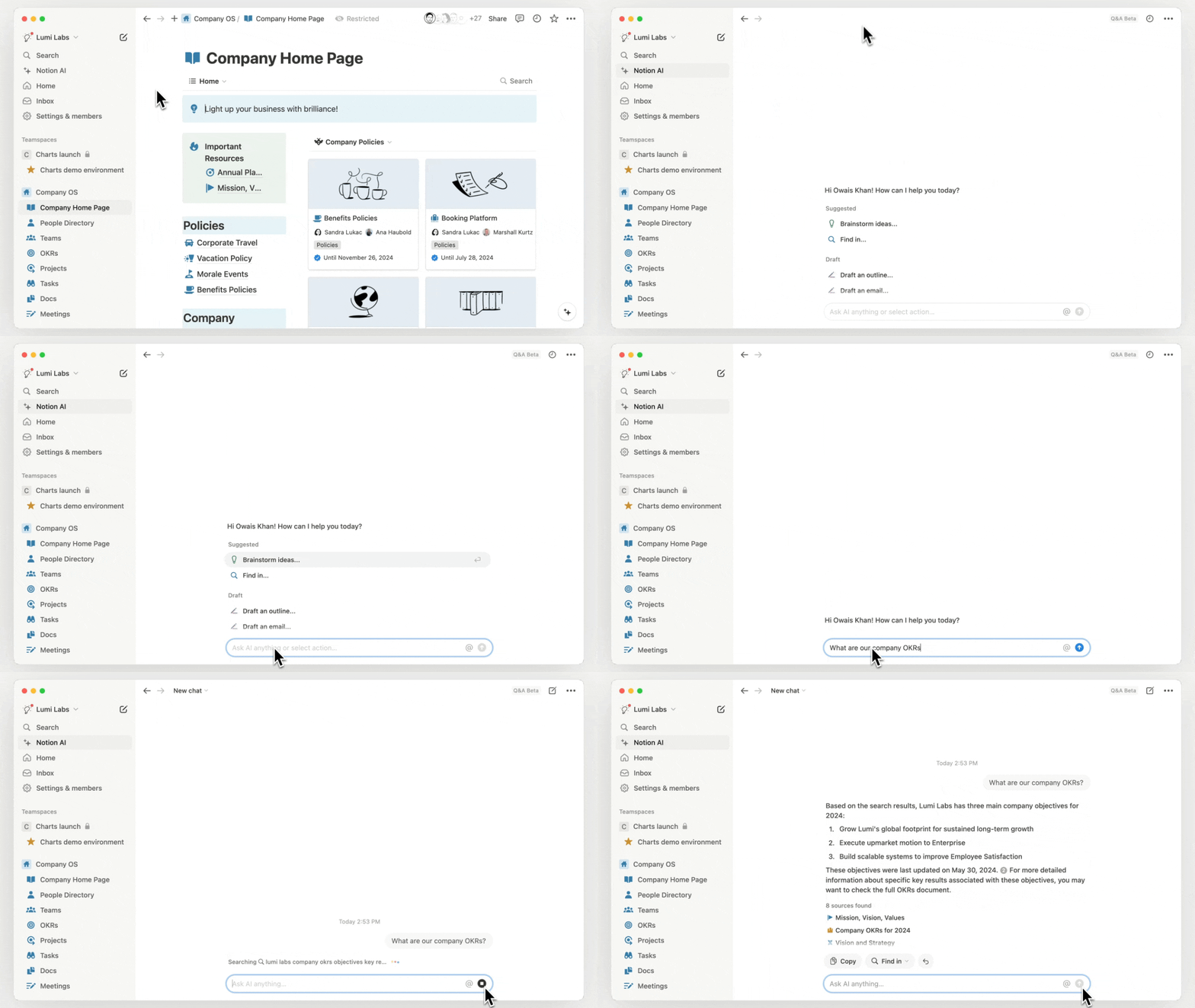
Notion AI can answer any question! It finds the right info from Notion, Slack (soon Google Drive & Github too), and models like GPT-4. No need to search a bunch of tools. And with a full-page window, you have a distraction-free place to chat.

AI chat box

Notion AI global shortcut

Now, if you’re designing in Figma, responding to a customer in Zendesk, or analyzing data in Hex, you can summon Notion AI to answer your questions right then and there. Use the new global shortcut ( ⌘ + shift + J for Mac, ctrl + shift + J for Windows) when you have our desktop app installed.

Shortcut AI

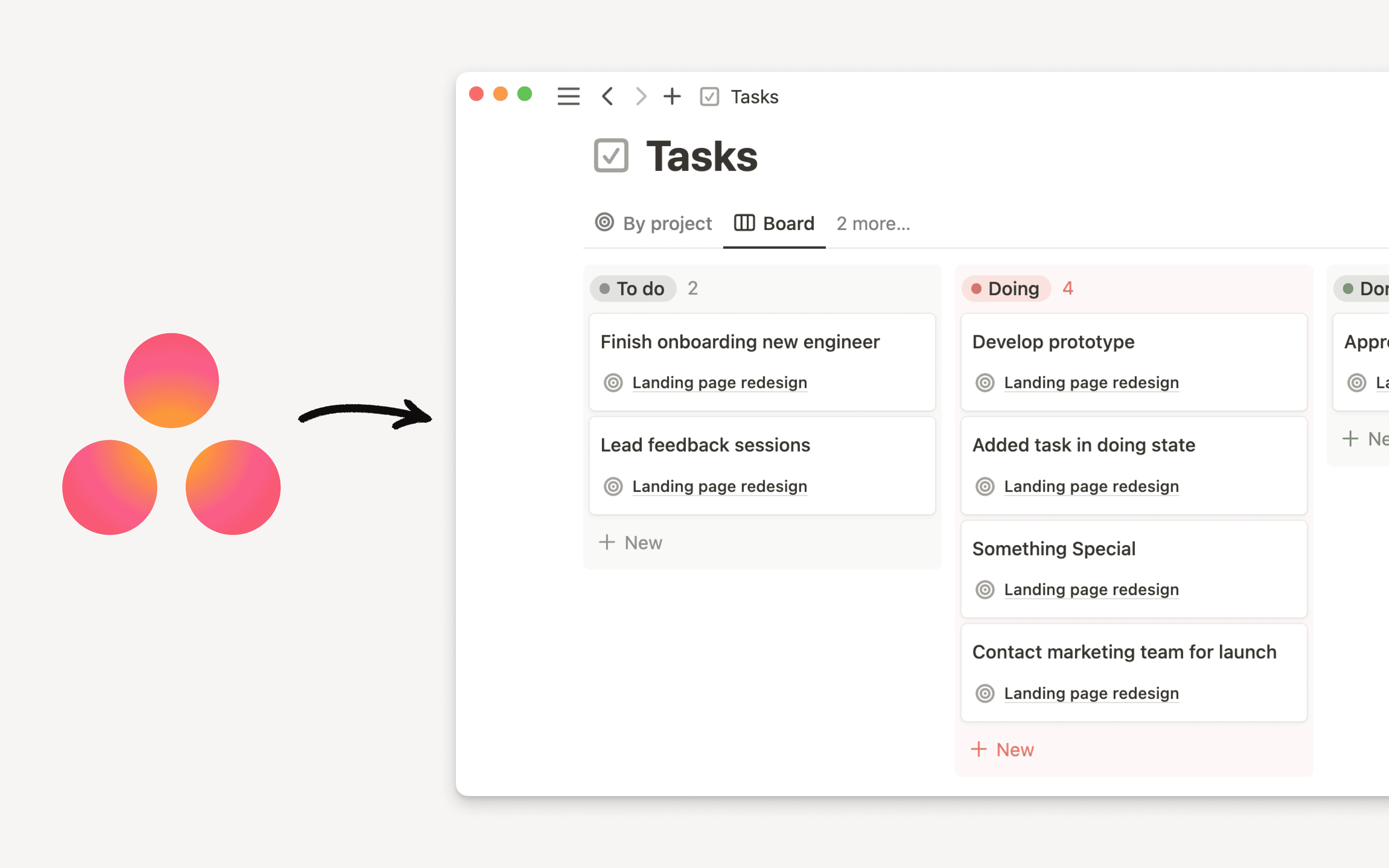
Import from Asana

When your projects and docs are in the same tool, your team can stay focused on the real work (no more hunting for info between tools!). In the new-and-improved Asana importer, select which projects you’d like to bring over, and convert them into easy-to-use Notion databases.

Asana importer improved

More new features!

  • The upgraded Jira Sync integration offers faster syncs, more customization and upgraded database functionality for your synced Jira Projects and Issues.

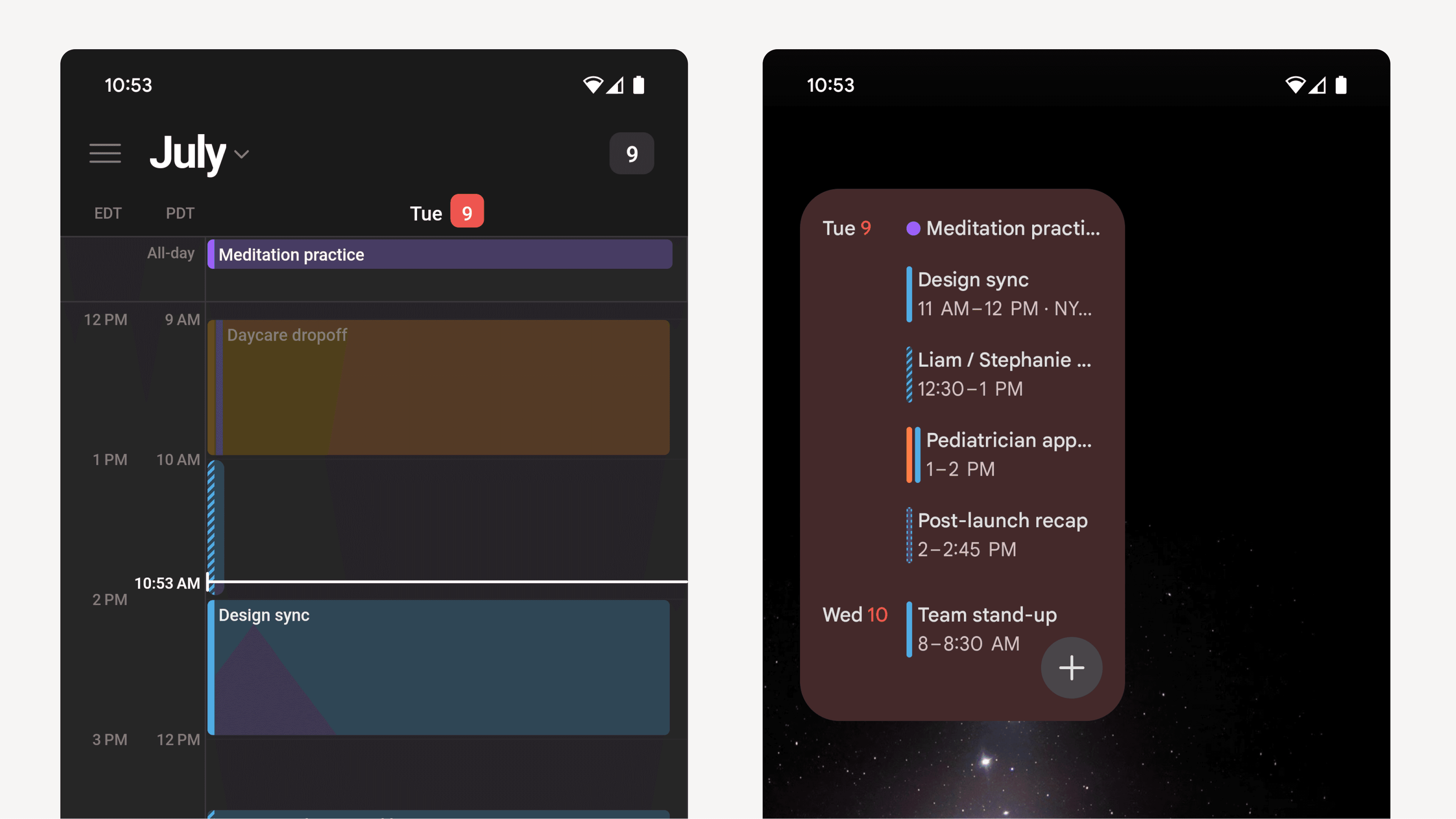
  • Notion Calendar is available as an Android app! Use it to manage multiple Google calendars, open linked Notion docs, and get in-app meeting notifications. Try it →
  • Now you can add a note when you’re RSVPing Yes, No, or Maybe to an event in Notion Calendar.

  • The ••• menu in your databases is redesigned, with a new Customize option and automatic suggested properties.

  • The in-app template gallery just got a huge redesign! Now you can browse 20k+ templates without leaving your Notion app.

Notion Calendar is now on Android

Use Notion Calendar on Android

We’re excited to bring this popular request to you! Notion Calendar is now available as an Android app. You can use the app to manage multiple Google calendars on the go, view your schedule across time zones, and open connected Notion docs. Get it free now →

Cal on Android

P.S. Notion Calendar is now available on every major platform (web, macOS, Windows, iPhone, and Android).

Upcoming changes coming to our Plus plan

The evolution of the Plus plan

More than five years ago, we introduced the Plus plan to give you a more powerful way to create docs, store knowledge, and collaborate on projects across work and life. Since then, we’ve added many new features, including 90 updates in 2023 alone, to help you and your team get organized and be more productive.

Today, Plus plan customers can do so much more in Notion:

  • Expand how you use Notion with unlimited blocks and file uploads

  • Never lose track of your work with 30-day page history

  • Collaborate with up to 100 free guests

  • Keep everyone on the same page with synced databases

  • Manage projects with automations to knock out repetitive work

  • Organize company knowledge in unlimited teamspaces

  • Launched this week: publish a beautiful website with custom domain and visual tools

  • And, coming soon: visualize data with unlimited charts and dashboards to track progress and goals

We've been blown away by what our community has built with Notion since. What started with tracking personal to-dos and writing simple docs has turned into managing complex team projects and organizing company-wide knowledge.

An update to our Plus plan pricing

This year, we are updating our Plus plan pricing for the first time to reflect this growing value.

New pricing by currency

Currency

New annual plan price
(per member/month)

New monthly plan price
(per member/month)

USD

$10

$12

EUR

€9.50

€11.50

GBP

£8.50

£10


New Plus plan users

The updated pricing for the Plus plan takes effect immediately for new customers globally starting June 26, 2024. If you’re a nonprofit, a startup, a teacher, or a student, you can continue to enjoy the same discounts for the Plus plan.

Existing Plus plan users
For existing customers, we deeply appreciate your trust and support. We’re providing a three-month window before the updated pricing applies to give you time to adjust to these changes. Within that time, you also have the option to keep the current annual pricing for another year by renewing or switching to annual plan by September 30. Otherwise, the new pricing will go into effect at your next renewal on or after October 1, 2024.

We want to thank you again for your trust in Notion. We believe we have the best community in the software industry, and it’s a privilege to have people like you help us make the product better. We're committed to adding more to the Plus plan over the coming years so Notion can continue to meet your needs and bring you joy in your work and life. You’ll hear from us about new updates coming later this summer!

Have questions? Our Help Center is here for you.

2.42

Notion 2.42: Introducing Notion Sites

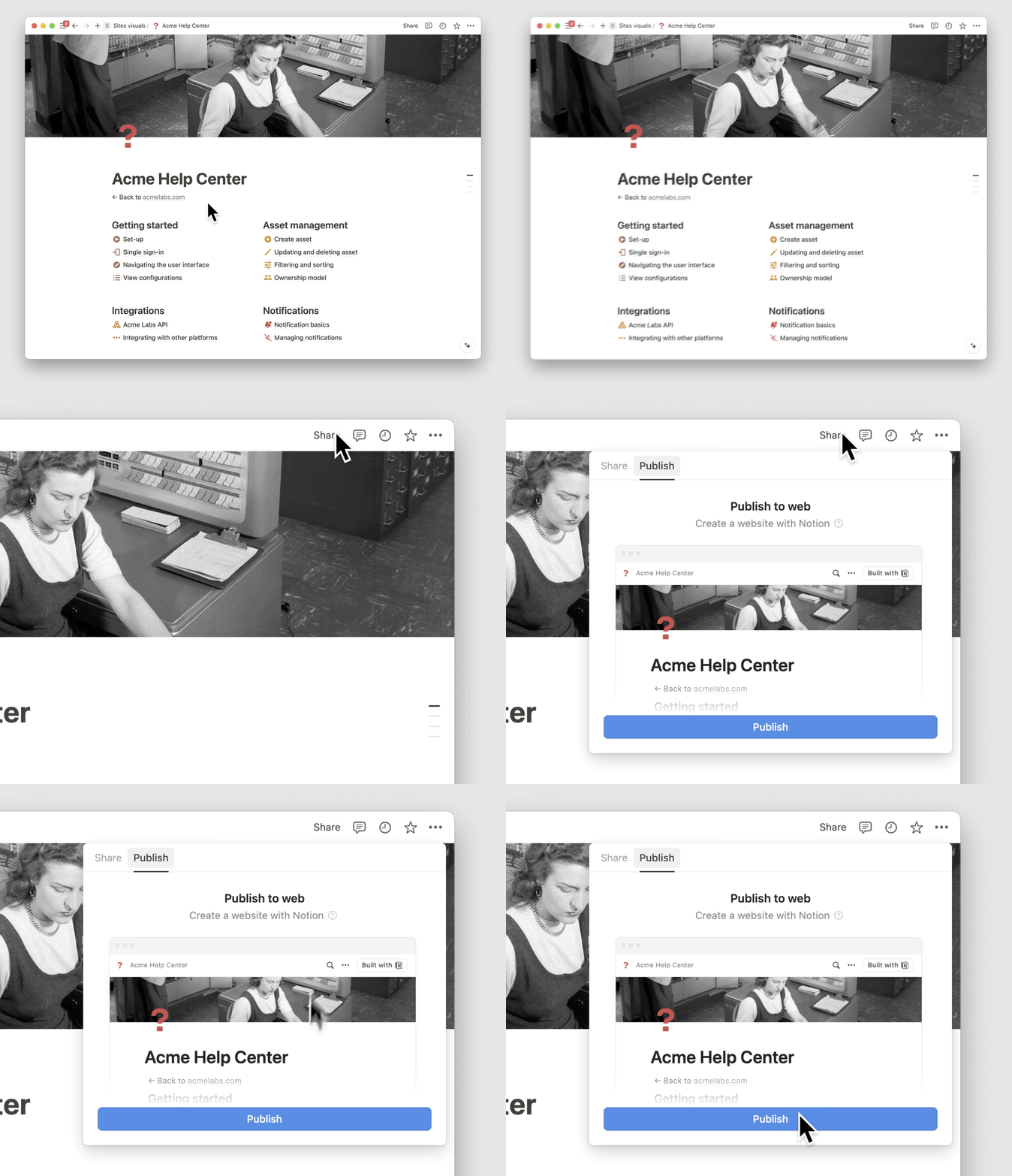
Build a Notion Site in minutes

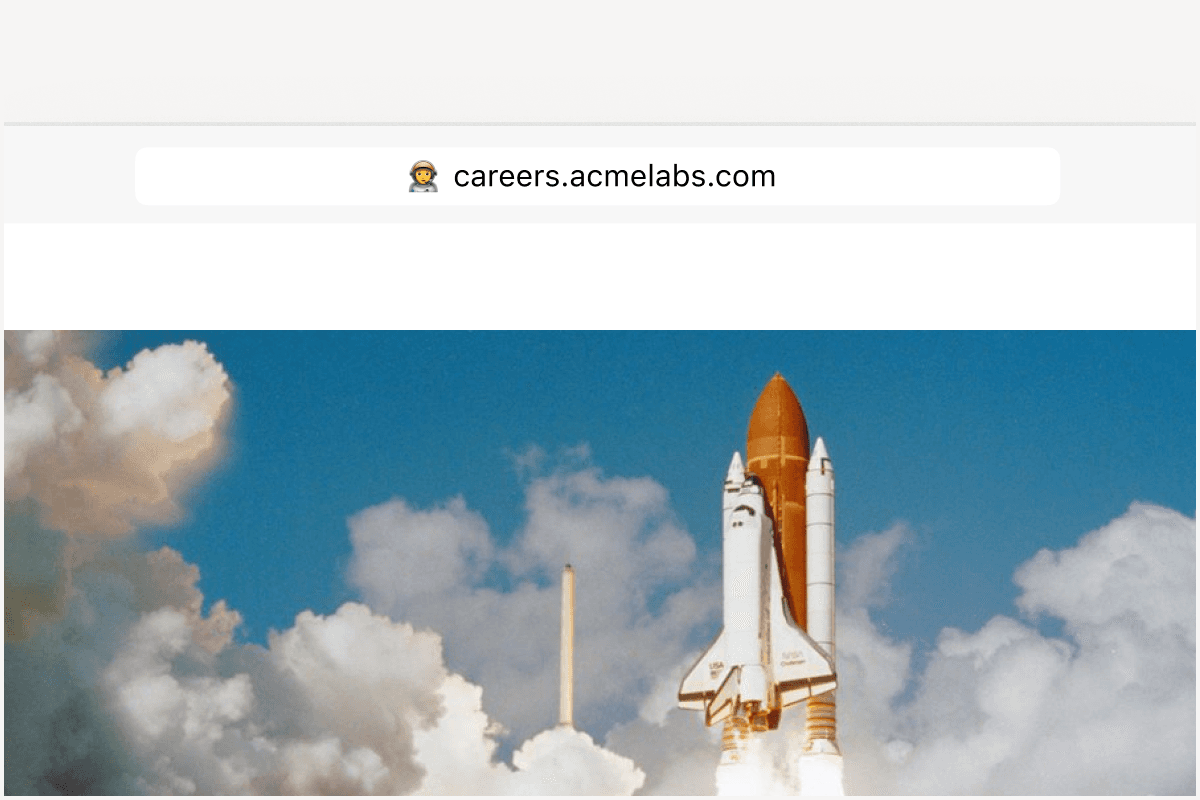
Launching a website should be easy—not a task that requires yet another tool! So we turned Notion’s one-click “Publish“ button into a full suite of features called Notion Sites. I’m already seeing people create company homepages, job boards, and even entire help centers.

site1

www.YOURIDEA.com

Connect your own domain or use a custom notion.site URL (I put my photography on ivanzhaophotos.com 😊).

email-custom-domain-professional

Make it yours

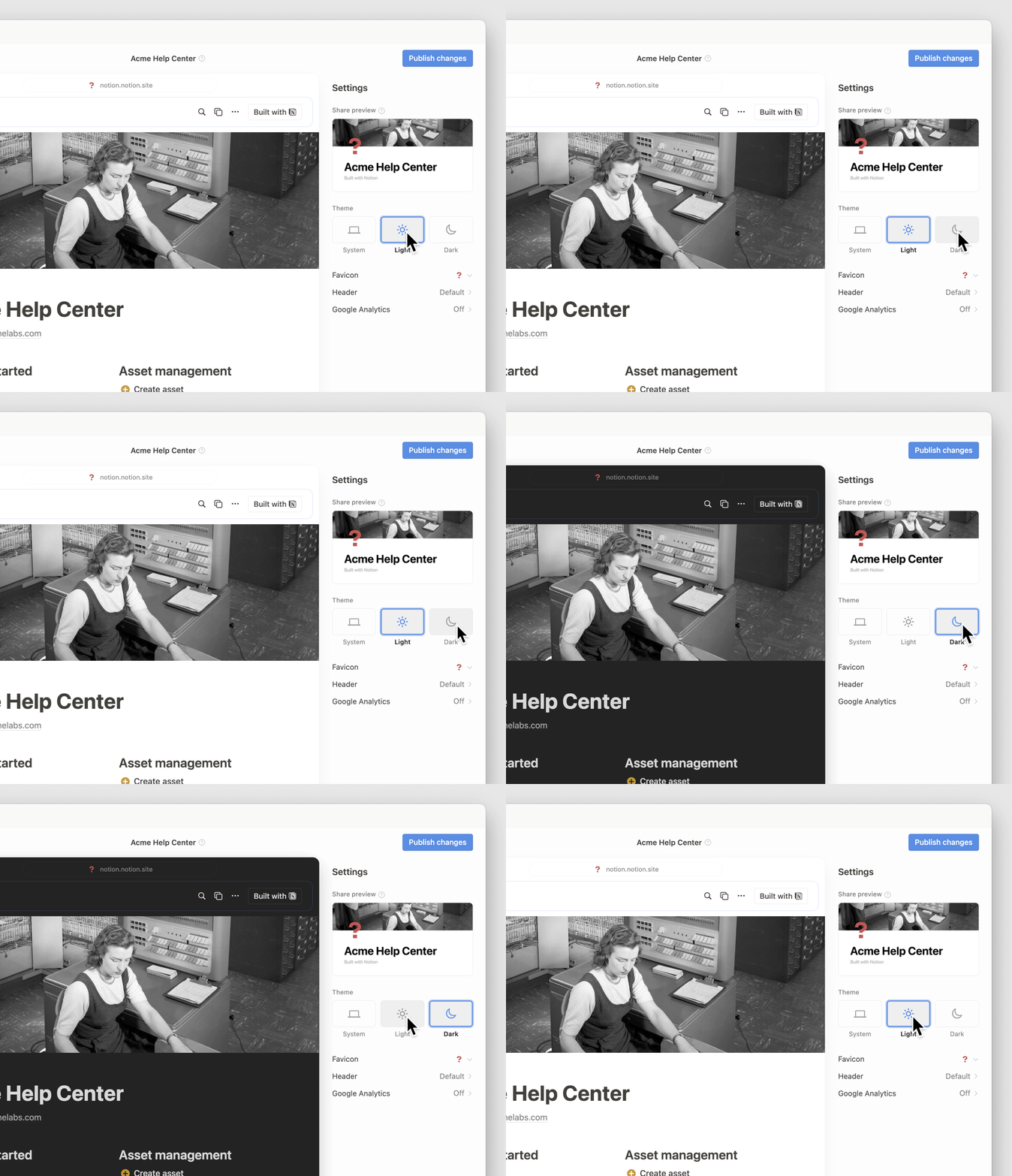
You can now customize your top header, choose a light or dark theme, and add the perfect favicon.

theme v1

Build your audience with SEO and Google Analytics

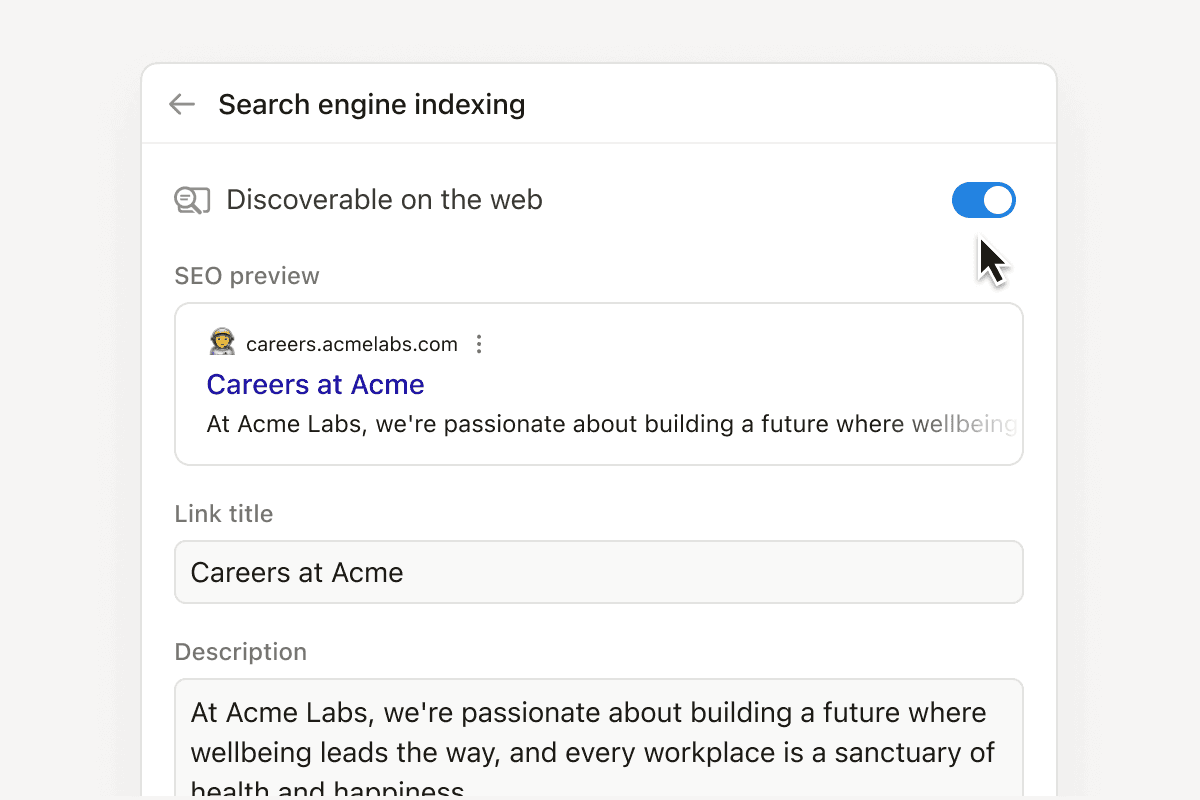
Just because you built it doesn’t mean they’ll come. Add custom metadata to make your site easier to find on search engines. Then, integrate with Google Analytics to track all of your new visitors.

email-seo-professional

Coming soon Charts! (We know you’ve been waiting)

We love charts. They turn data into a story. Soon you’ll be able to create bar charts, line charts, and donut charts to visualize progress. Use them for anything you track in Notion: projects, OKRs, sales pipeline, and more. Charts will launch in the coming weeks. They’ll be free to try, with unlimited charts available on the Plus, Business, and Enterprise plans.

email-charts

Quality of life improvements

  • Easier commenting: You can now right-click on a database entry and add a comment without having to actually open it to a full-page view.

  • Better “find”: Cmd+f can now find hidden content in collapsed toggles or within databases. It also does elegant things like closes automatically when you start to edit or navigate to a new page.

Powered by Fruition